
Lazydocker installieren
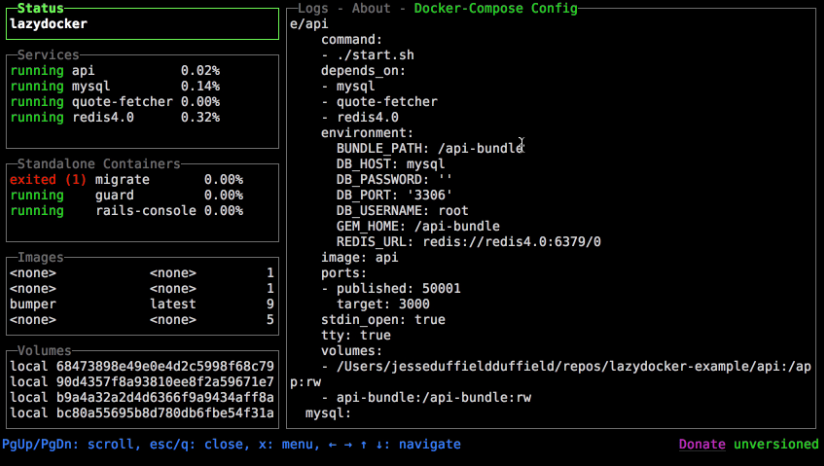
https://github.com/jesseduffield/lazydocker#installation
Variante 1: Leicht (Offizielles Skript)
# Installationsskript mit bash ausführen
curl https://raw.githubusercontent.com/jesseduffield/lazydocker/master/scripts/install_update_linux.sh | bash

# Checken wo lazydocker liegt (dauert, kann man auch skippen):
find / -name lazydocker 2>/dev/null

# Pfad zur .bashrc pflegen:
echo 'export PATH="$HOME/.local/bin:$PATH"' >> ~/.bashrc
danach CLI neustarten!
Variante 2: Schwer (Brew)
Falls root, vorher neuen Sudo-User anlegen, ansonsten gibt das Brew-Installationsskript 'Don't run this as root!' zurück:
sudo adduser [username]
usermod -aG sudo [username]
id [username] | grep sudo
su [username]
brew installieren:
/bin/bash -c "$(curl -fsSL https://raw.githubusercontent.com/Homebrew/install/HEAD/install.sh)"zu bashrc hinzufügen (USERNAME ersetzen):
echo >> /home/USERNAME/.bashrc
echo 'eval "$(/home/linuxbrew/.linuxbrew/bin/brew shellenv)"' >> /home/USERNAME/.bashrc
eval "$(/home/linuxbrew/.linuxbrew/bin/brew shellenv)"
Nähere Infos:
==> Next steps:
- Run these commands in your terminal to add Homebrew to your PATH:
    echo >> /home/pl-admin/.bashrc
    echo 'eval "$(/home/linuxbrew/.linuxbrew/bin/brew shellenv)"' >> /home/pl-admin/.bashrc
    eval "$(/home/linuxbrew/.linuxbrew/bin/brew shellenv)"
- Install Homebrew's dependencies if you have sudo access:
    sudo apt-get install build-essential
  For more information, see:
    https://docs.brew.sh/Homebrew-on-Linux
- We recommend that you install GCC:
    brew install gcc
- Run brew help to get started
- Further documentation:
    https://docs.brew.sh
Lazydocker installieren:
Normally
lazydockerformula can be found in the Homebrew core but we suggest you to tap our formula to get frequently updated one. It works with Linux, too.
Tap:
brew install jesseduffield/lazydocker/lazydocker
Core:
brew install lazydocker
oder
brew install gcc
brew install --build-from-source lazydocker
No comments to display
No comments to display