
Windmill
Server um Pythonprogramme über eine WebUI mit APIs zu verknüpfen
https://www.windmill.dev/docs/advanced/self_host
https://github.com/windmill-labs/windmill/blob/main/docker-compose.yml
https://github.com/windmill-labs/windmill/blob/main/.env
https://github.com/windmill-labs/windmill/blob/main/Caddyfile
OBACHT, die docker-compose.yml für Windmill + Selenium ist die aktuellste. Darunter kommt eine alte docker-compose.yml mit nur Windmill ohne Selenium
Windmill + Selenium
OBACHT: Probleme mit arm-Architektur und Selenium Browser. Nach umzug auf amd64 klappt der selenoid container. Außerdem gibt es das selenoid-ui image aktuell nicht für arm.
Mit diesem Tutorial als Basis: https://www.windmill.dev/blog/use-selenium-with-windmill
und mit Hilfe der Selenium MAN https://aerokube.com/selenoid/latest/
docker-compose.yml
#https://www.windmill.dev/blog/use-selenium-with-windmill
#https://wiki.folkerts.it/books/docker/page/windmill

services:
  db:
    hostname: wm_db
    deploy:
      # To use an external database, set replicas to 0 and set DATABASE_URL to the external database url in the .env file
      replicas: 1
    image: postgres:14
    restart: unless-stopped
    volumes:
      - db_data:/var/lib/postgresql/data
    expose:
      - 5432
    environment:
      POSTGRES_PASSWORD: ${DATABASE_PW}
      POSTGRES_DB: windmill
    healthcheck:
      test: ["CMD-SHELL", "pg_isready -U postgres"]
      interval: 10s
      timeout: 5s
      retries: 5
    networks:
      windmill:

  windmill_server:
    hostname: wm_server
    image: ${WM_IMAGE}
    pull_policy: always
    deploy:
      replicas: 1
    restart: unless-stopped
    expose:
      - 8000
    ports:
      - 9920-9930:9920-9930 # <- added this; only 10 ports are opened; if you want to open more ports increase the 2nd number respectively
    environment:
      - DATABASE_URL=postgres://postgres:${DATABASE_PW}@db/windmill?sslmode=disable
      - MODE=server
      #- NUM_WORKERS=10 # <- an increased number of workers is helpful when running a lot of scraping scripts in parallel
    depends_on:
      db:
        condition: service_healthy
    networks:
      windmill:

  windmill_worker:
    #container_name: wm_worker
    image: ${WM_IMAGE}
    pull_policy: always
    deploy:
      replicas: 2
      resources:
        limits:
          cpus: "1"
          memory: 2048M
    restart: unless-stopped
    environment:
      - DATABASE_URL=postgres://postgres:${DATABASE_PW}@db/windmill?sslmode=disable
      - MODE=worker
      - WORKER_GROUP=default
    depends_on:
      db:
        condition: service_healthy
    # to mount the worker folder to debug, KEEP_JOB_DIR=true and mount /tmp/windmill
    volumes:
      # mount the docker socket to allow to run docker containers from within the workers
      - /var/run/docker.sock:/var/run/docker.sock
      - worker_dependency_cache:/tmp/windmill/cache
    networks:
      windmill:

  ## This worker is specialized for "native" jobs. Native jobs run in-process and thus are much more lightweight than other jobs
  windmill_worker_native:
    #container_name: wm_worker_nat
    # Use ghcr.io/windmill-labs/windmill-ee:main for the ee
    image: ${WM_IMAGE}
    pull_policy: always
    deploy:
      replicas: 2
      resources:
        limits:
          cpus: "0.1"
          memory: 128M
    restart: unless-stopped
    environment:
      - DATABASE_URL=postgres://postgres:${DATABASE_PW}@db/windmill?sslmode=disable
      - MODE=worker
      - WORKER_GROUP=native
    depends_on:
      db:
        condition: service_healthy
    networks:
      windmill:

  ## This worker is specialized for reports or scrapping jobs. It is assigned the "reports" worker group which has an init script that installs chromium and can be targeted by using the "chromium" worker tag.
  # windmill_worker_reports:
  #   image: ${WM_IMAGE}
  #   pull_policy: always
  #   deploy:
  #     replicas: 1
  #     resources:
  #       limits:
  #         cpus: "1"
  #         memory: 2048M
  #   restart: unless-stopped
  #   environment:
  #     - DATABASE_URL=${DATABASE_URL}
  #     - MODE=worker
  #     - WORKER_GROUP=reports
  #   depends_on:
  #     db:
  #       condition: service_healthy
  #   # to mount the worker folder to debug, KEEP_JOB_DIR=true and mount /tmp/windmill
  #   volumes:
  #     # mount the docker socket to allow to run docker containers from within the workers
  #     - /var/run/docker.sock:/var/run/docker.sock
  #     - worker_dependency_cache:/tmp/windmill/cache

  lsp:
    hostname: wm_lsp
    image: ghcr.io/windmill-labs/windmill-lsp:latest
    pull_policy: always
    restart: unless-stopped
    expose:
      - 3001
    volumes:
      - lsp_cache:/root/.cache
    networks:
      windmill:

  multiplayer:
    hostname: wm_mp
    image: ghcr.io/windmill-labs/windmill-multiplayer:latest
    deploy:
      replicas: 0 # Set to 1 to enable multiplayer, only available on Enterprise Edition
    restart: unless-stopped
    expose:
      - 3002
    networks:
      windmill:

  caddy:
    hostname: wm_caddy
    image: caddy:2.5.2-alpine
    restart: unless-stopped

    # Configure the mounted Caddyfile and the exposed ports or use another reverse proxy if needed
    volumes:
      - ${CADDYFILE_PATH}:/etc/caddy/Caddyfile
      # - ./certs:/certs # Provide custom certificate files like cert.pem and key.pem to enable HTTPS - See the corresponding section in the Caffyfile
    ports:
      # To change the exposed port, simply change 80:80 to <desired_port>:80. No other changes needed
      - ${HTTP_EXPOSE_PORT_WINDMILL}:80
      # - 443:443 # Uncomment to enable HTTPS handling by Caddy
    environment:
      - BASE_URL=":80"
#      - ADDRESS="localhost"
      # - BASE_URL=":443" # uncomment and comment line above to enable HTTPS via custom certificate and key files
      # - BASE_URL=mydomain.com # Uncomment and comment line above to enable HTTPS handling by Caddy
    networks:
      windmill:

  selenoid:
    #network_mode: bridge
    hostname: wm_selenoid
    restart: unless-stopped
    image: aerokube/selenoid:latest-release
    volumes:
      - sel_cfg:/etc/selenoid # <- change this
      - sel_video:/opt/selenoid/video # <- change this
      - sel_logs:/opt/selenoid/logs # <- change this
      - /var/run/docker.sock:/var/run/docker.sock
    environment:
      - OVERRIDE_VIDEO_OUTPUT_DIR=${SELENOID_VIDEO_DIR}
    command:
      [
        '-conf',
        '/etc/selenoid/browsers.json',
        '-video-output-dir',
        '/opt/selenoid/video',
        '-log-output-dir',
        '/opt/selenoid/logs',
        '-container-network',
        '${SELENOID_CONTAINER_NETWORK}'
      ]
    ports:
      - 4444:4444
    networks:
      windmill:

  selenoid-ui:
    hostname: wm_selenoid-ui
    image: aerokube/selenoid-ui
    #network_mode: bridge
    restart: unless-stopped
    depends_on:
      - selenoid
    #links:
    #  - selenoid
    ports:
      - ${HTTP_EXPOSE_PORT_SELENOIDUI}:8080
    command: ['--selenoid-uri', 'http://wm_selenoid:4444']
    networks:
      windmill:

volumes:
  db_data: null
  worker_dependency_cache: null
  lsp_cache: null
  sel_logs:
  sel_video:
  sel_cfg:

networks:
  windmill:
    driver: bridge
.env
HTTP_EXPOSE_PORT_WINDMILL=86
HTTP_EXPOSE_PORT_SELENOIDUI=8941
DATABASE_PW=MEINTOLLES..........DBPW
WM_IMAGE=ghcr.io/windmill-labs/windmill:1.466.2
CADDYFILE_PATH=/var/lib/docker/volumes/windmill_caddy/Caddyfile
SELENOID_VIDEO_DIR=/var/lib/docker/volumes/windmill_sel_video/_data
SELENOID_CONTAINER_NETWORK=windmill_windmill
TODO:
- Caddyfile erstellen (sieh unten)
- browsers.json erstellen (siehe unten)
Caddyfile
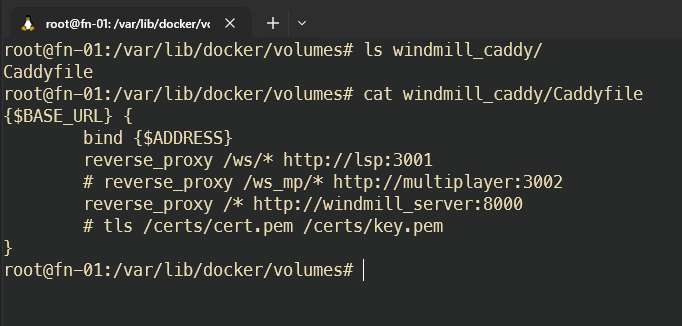
Auf dem Server eine Caddyfile anlegen:
zb /var/lib/docker/volumes/windmill_caddy/Caddyfile
{$BASE_URL} {
        bind {$ADDRESS}
        reverse_proxy /ws/* http://lsp:3001
        # reverse_proxy /ws_mp/* http://multiplayer:3002
        reverse_proxy /* http://windmill_server:8000
        # tls /certs/cert.pem /certs/key.pem
}
Diese Datei dann wie beschrieben in der docker-compose.yml verknüpfen
browsers.json
browsers.json für selenoid Container erstellen und Pfad dafür in docker-compose (ca Zeile 171) in
- sel_cfg:/etc/selenoid # <- change thisablegen, also zb /var/lib/docker/volumes/windmill_sel_cfg/_data/browsers.json
{
	"firefox": {
		"default": "104.0",
		"versions": {
			"104.0": {
				"image": "selenoid/firefox:104.0",
				"port": "4444",
				"path": "/wd/hub",
				"env": ["TZ=Europe/Berlin"]
			}
		}
	},
	"chrome": {
		"default": "104.0",
		"versions": {
			"104.0": {
				"image": "selenoid/chrome:104.0",
				"port": "4444",
				"path": "/",
				"env": ["TZ=Europe/Berlin"]
			}
		}
	}
}
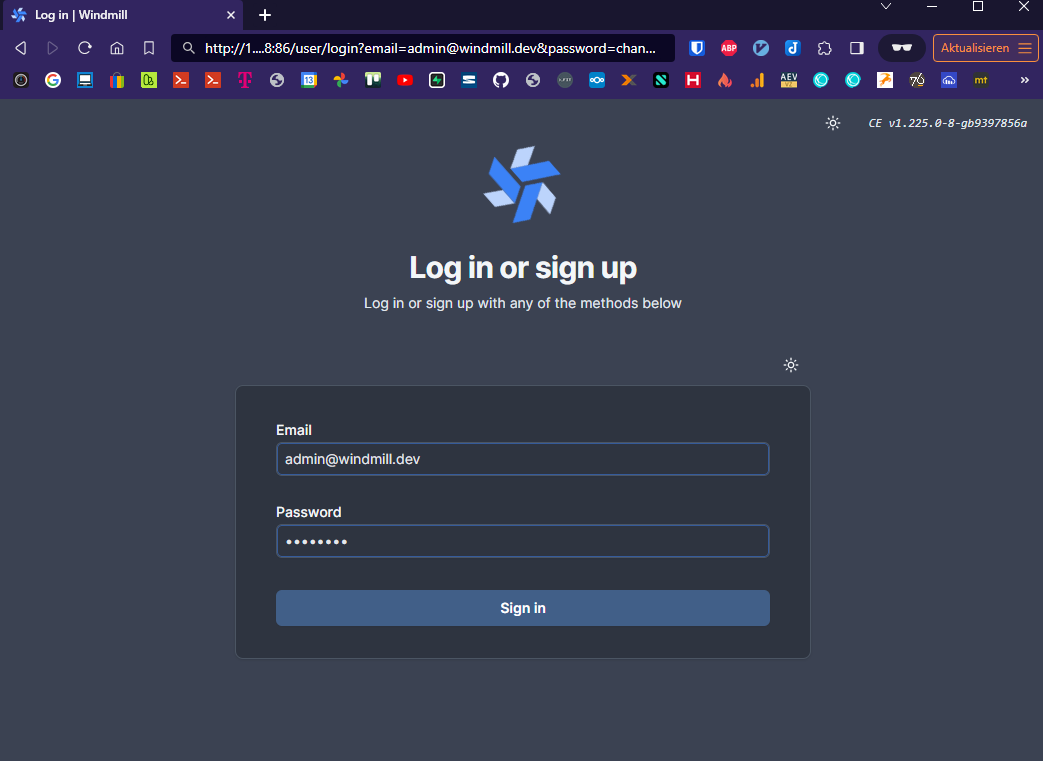
Login
email:
admin@windmill.dev
pw:
changeme
webui ist danach unter http://docker-ip:86 zu erreichen
prefilled link: http://docker-ip:86/user/login?email=admin@windmill.dev&password=changeme
Docker-Images für Selenium Browser
Nun noch die Dockerimages der Browser pullen
docker pull selenoid/chrome:104.0
docker pull selenoid/vnc_chrome:104.0
docker pull selenoid/firefox:104.0
docker pull selenoid/vnc_firefox:104.0
Docker-Image für Selenium Videorecording
https://aerokube.com/selenoid/latest/#_video_recording
docker pull selenoid/video-recorder:latest-releasePython Beispiel mit Selenium in Windmill
# extra_requirements:
# blinker==1.7.0
# selenium==4.9.1

import os
import wmill
import blinker
import selenium
from seleniumwire import webdriver
from webdriver_manager.chrome import ChromeDriverManager


def main(domain: str, mailbox_prefix: str, mailbox_password: str):
    try:
        driver = initiateDriver()
        # driver.get("https://www.github.com")

        # Test whether Seleniumwire is working
        for request in driver.requests:
            if request.response:
                print(
                    request.url,
                    request.response.status_code,
                    request.response.headers["Content-Type"],
                )

        # Geheimnisse aus Windmill-Variablen laden
        strato_username = wmill.get_variable("f/admintools/strato_username")
        strato_password = wmill.get_variable("f/admintools/strato_password")

        # Selenium-Importe innerhalb der Funktion (Windmill-Umgebung)
        import time
        from selenium import webdriver
        from selenium.webdriver.common.by import By
        from selenium.webdriver.common.action_chains import ActionChains
        from selenium.webdriver.support import expected_conditions
        from selenium.webdriver.support.wait import WebDriverWait
        from selenium.webdriver.common.keys import Keys
        from selenium.webdriver.common.desired_capabilities import DesiredCapabilities

        # WebDriver starten (Chrome als Beispiel)
        print("### Öffne strato.de")
        driver.get("https://www.strato.de/")
        driver.set_window_size(1920, 1080)
        driver.implicitly_wait(5)

        # Selenium-Schritte

        print("### Akzeptiere Cookies")
        driver.find_element(By.CSS_SELECTOR, ".consentAgree:nth-child(3)").click()
        driver.find_element(By.CSS_SELECTOR, "li:nth-child(3) .text-uppercase").click()
        print("### Füge Strato Username ein")
        driver.find_element(By.ID, "username").send_keys(strato_username)
        print("### Füge Strato Passwort ein")
        driver.find_element(By.ID, "jss_ksb_password").send_keys(strato_password)
        print("### Klicke auf Anmelden")
        driver.find_element(By.NAME, "action_customer_login.x").click()
        print("### Klicke auf E-Mail")
        driver.find_element(By.LINK_TEXT, "E-Mail").click()
        print("### Klicke auf Verwaltung")
        driver.find_element(By.LINK_TEXT, "Verwaltung").click()
        print("### Klicke auf Postfach anlegen")
        driver.find_element(By.ID, "jss_create_mailbox").click()
        print("### Wähle Basic-Postfach anlegen")
        driver.find_element(By.LINK_TEXT, "Basic-Postfach anlegen").click()
        print("### Klicke auf Mailbox Domain Dropdown")
        driver.find_element(By.ID, "create_mailbox_domain_select").click()
        print("### Wähle domain aus Domain-Dropdown über send_keys")
        select = driver.find_element(By.ID, "create_mailbox_domain_select")
        select.send_keys(f"{domain}")
        driver.find_element(By.ID, "group1").send_keys(mailbox_prefix)
        print("### Füge E-Mail Passwort ein")
        driver.find_element(By.NAME, "password_new").send_keys(mailbox_password)
        print("### Klicke auf Postfach anlegen")
        driver.find_element(By.CSS_SELECTOR, ".jss_action_handle_password").click()
        print(
            '### Warte auf den Text "Es wurde eine neue E-Mail-Adresse angelegt und aktiviert" von Strato'
        )
        WebDriverWait(driver, 5).until(
            expected_conditions.visibility_of_element_located(
                (By.CSS_SELECTOR, ".success > p:nth-child(1)")
            )
        )
        print(f"### Erfolg! {mailbox_prefix}@{domain} wurde angelegt.")

        # WebDriver schließen
        driver.quit()

        # Ergebnis zurückgeben (wird in Windmill als JSON dargestellt)
        return {
            "domain": domain,
            "mailbox_prefix": mailbox_prefix,
            "mailbox_passwort": mailbox_password,
            "status": "Mailbox erfolgreich erstellt",
        }
    except Exception as e:
        print(
            "FEHLER. Mailadresse evtl. schon vorhanden? Nicht genug Strato Mail Speicherplatz verfügbar? Passwort entspricht nicht den Anforderungen? Anforderung Stratomail-Passwort: Mindestens 10 Zeichen, Maximal 128 Zeichen, erlaubte Buchstaben: a-z und A-Z, keine Umlaute, erlaubte Ziffern: 0-9, erlaubte Sonderzeichen: !#$%&()*+,-./:;<>=?@[]^_{|}~"
        )
        print(f"Fehlermeldung: {e}")
        return {
            "domain": domain,
            "mailbox_prefix": mailbox_prefix,
            "mailbox_passwort": mailbox_password,
            "status": "Fehler beim erstellen der Mailbox: Mailadresse evtl. schon vorhanden? Nicht genug Strato Mail Speicherplatz verfügbar? Passwort entspricht nicht den Anforderungen? Anforderung Stratomail-Passwort: Mindestens 10 Zeichen, Maximal 128 Zeichen, erlaubte Buchstaben: a-z und A-Z, keine Umlaute, erlaubte Ziffern: 0-9, erlaubte Sonderzeichen: !#$%&()*+,-./:;<>=?@[]^_{|}~",
            "error": f"{e}",
        }


def initiateDriver(macM1=False):
    print("initiating driver")

    # driver = None
    if (
        macM1
    ):  # if we are on mac m1 -> custom image by selecting the browser version 91.0
        i = 9919
        while True:
            try:
                i += 1
                HOST = "host.docker.internal"
                options = {
                    "auto_config": False,
                    # the addr and the port where the proxy should start: -> starts it in the windmill container
                    "addr": "0.0.0.0",
                    "port": i,
                }

                chrome_capabilities = {
                    "browserName": "chrome",
                    "browserVersion": "91.0",  # 91.0 for mac only?
                    "selenoid:options": {"enableVNC": True, "enableVideo": True},
                    "goog:chromeOptions": {
                        "extensions": [],
                        "args": [
                            f"--proxy-server=host.docker.internal:{i}",
                            "--ignore-certificate-errors",
                        ],
                    },
                }

                print(f"Test Selenium with port:{i}")
                driver = webdriver.Remote(
                    command_executor="http://{}:4444/wd/hub".format(HOST),
                    desired_capabilities=chrome_capabilities,
                    seleniumwire_options=options,
                )

                print(f"initiated successfully with port:{i}")
                break
            except:
                print(f"initiating driver with port:{i}")
                if i > 9930:
                    print("port limit exceeded")
                    break

    else:  # windows or linux image
        i = 9919
        while True:
            try:
                i += 1
                # HOST = "host.docker.internal"
                options = {
                    "auto_config": False,
                    # the addr and the port where the proxy should start: -> starts it in the windmill container
                    "addr": "0.0.0.0",
                    "port": i,
                }

                chrome_capabilities = {
                    "browserName": "chrome",
                    "browserVersion": "104.0",  # on Windows we can use the latest version by not specifying the version number
                    "selenoid:options": {"enableVNC": True, "enableVideo": True},
                    "goog:chromeOptions": {
                        "extensions": [],
                        "args": [
                            # f"--proxy-server=wm_server:{i}",
                            "--ignore-certificate-errors",
                        ],
                    },
                }
                driver = webdriver.Remote(
                    # command_executor="http://{}:4444/wd/hub".format(HOST),
                    command_executor="http://wm_selenoid:4444/wd/hub",
                    desired_capabilities=chrome_capabilities,
                    seleniumwire_options=options,
                )

                print(f"initiated successfully with port:{i}")
                break
            except Exception as e:
                print(f"initiating driver with port:{i}: {e}")
                if i > 9930:
                    print("port limit exceeded")
                    break

    return driver
Selenoid-UI
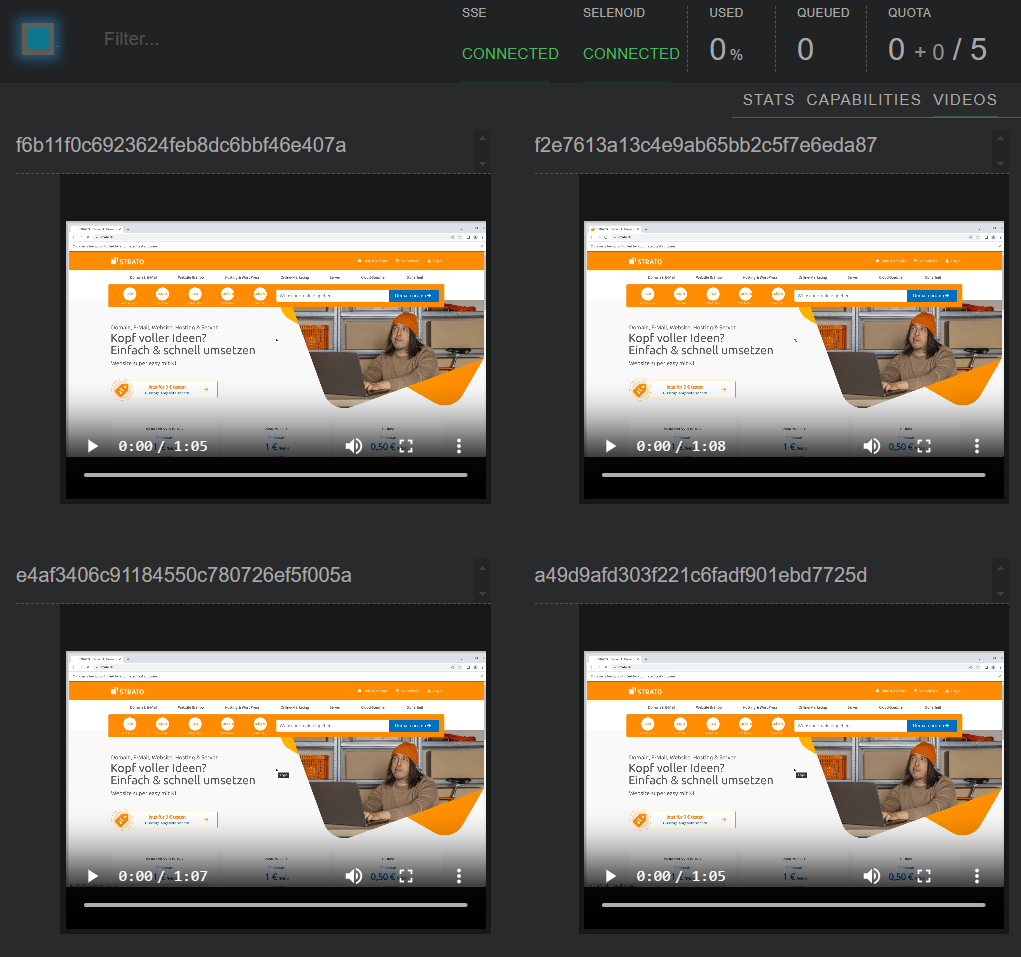
http://DOCKER-IP:8941 zeigt selenoid-ui mit Videorecordings der Seleniumausführunge
Windmill only (alte version)
folgendes ändern:
Zeile 15: DB Passwort
Zeile 128: Dateipfad für die Caddyfile (siehe unten)
Zeile 132: Port für die Windmill WebUI
.env Datei: DB Passwort (siehe unten)
docker-compose.yml
version: "3.7"

services:
  db:
    deploy:
      # To use an external database, set replicas to 0 and set DATABASE_URL to the external database url in the .env file
      replicas: 1
    image: postgres:14
    restart: unless-stopped
    volumes:
      - db_data:/var/lib/postgresql/data
    expose:
      - 5432
    environment:
      POSTGRES_PASSWORD: MEIN.....PASSWORT
      POSTGRES_DB: windmill
    healthcheck:
      test: ["CMD-SHELL", "pg_isready -U postgres"]
      interval: 10s
      timeout: 5s
      retries: 5

  windmill_server:
    image: ${WM_IMAGE}
    pull_policy: always
    deploy:
      replicas: 1
    restart: unless-stopped
    expose:
      - 8000
    environment:
      - DATABASE_URL=${DATABASE_URL}
      - MODE=server
    depends_on:
      db:
        condition: service_healthy

  windmill_worker:
    image: ${WM_IMAGE}
    pull_policy: always
    deploy:
      replicas: 3
      resources:
        limits:
          cpus: "1"
          memory: 2048M
    restart: unless-stopped
    environment:
      - DATABASE_URL=${DATABASE_URL}
      - MODE=worker
      - WORKER_GROUP=default
    depends_on:
      db:
        condition: service_healthy
    # to mount the worker folder to debug, KEEP_JOB_DIR=true and mount /tmp/windmill
    volumes:
      # mount the docker socket to allow to run docker containers from within the workers
      - /var/run/docker.sock:/var/run/docker.sock
      - worker_dependency_cache:/tmp/windmill/cache

  ## This worker is specialized for "native" jobs. Native jobs run in-process and thus are much more lightweight than other jobs
  windmill_worker_native:
    # Use ghcr.io/windmill-labs/windmill-ee:main for the ee
    image: ${WM_IMAGE}
    pull_policy: always
    deploy:
      replicas: 2
      resources:
        limits:
          cpus: "0.1"
          memory: 128M
    restart: unless-stopped
    environment:
      - DATABASE_URL=${DATABASE_URL}
      - MODE=worker
      - WORKER_GROUP=native
    depends_on:
      db:
        condition: service_healthy

  ## This worker is specialized for reports or scrapping jobs. It is assigned the "reports" worker group which has an init script that installs chromium and can be targeted by using the "chromium" worker tag.
  # windmill_worker_reports:
  #   image: ${WM_IMAGE}
  #   pull_policy: always
  #   deploy:
  #     replicas: 1
  #     resources:
  #       limits:
  #         cpus: "1"
  #         memory: 2048M
  #   restart: unless-stopped
  #   environment:
  #     - DATABASE_URL=${DATABASE_URL}
  #     - MODE=worker
  #     - WORKER_GROUP=reports
  #   depends_on:
  #     db:
  #       condition: service_healthy
  #   # to mount the worker folder to debug, KEEP_JOB_DIR=true and mount /tmp/windmill
  #   volumes:
  #     # mount the docker socket to allow to run docker containers from within the workers
  #     - /var/run/docker.sock:/var/run/docker.sock
  #     - worker_dependency_cache:/tmp/windmill/cache

  lsp:
    image: ghcr.io/windmill-labs/windmill-lsp:latest
    pull_policy: always
    restart: unless-stopped
    expose:
      - 3001
    volumes:
      - lsp_cache:/root/.cache

  multiplayer:
    image: ghcr.io/windmill-labs/windmill-multiplayer:latest
    deploy:
      replicas: 0 # Set to 1 to enable multiplayer, only available on Enterprise Edition
    restart: unless-stopped
    expose:
      - 3002

  caddy:
    image: caddy:2.5.2-alpine
    restart: unless-stopped

    # Configure the mounted Caddyfile and the exposed ports or use another reverse proxy if needed
    volumes:
      - ${CADDYFILE_PATH}:/etc/caddy/Caddyfile
      # - ./certs:/certs # Provide custom certificate files like cert.pem and key.pem to enable HTTPS - See the corresponding section in the Caffyfile
    ports:
      # To change the exposed port, simply change 80:80 to <desired_port>:80. No other changes needed
      - 86:80
      # - 443:443 # Uncomment to enable HTTPS handling by Caddy
    environment:
      - BASE_URL=":80"
#      - ADDRESS="localhost"
      # - BASE_URL=":443" # uncomment and comment line above to enable HTTPS via custom certificate and key files
      # - BASE_URL=mydomain.com # Uncomment and comment line above to enable HTTPS handling by Caddy

volumes:
  db_data: null
  worker_dependency_cache: null
  lsp_cache: null
.env
DATABASE_URL=postgres://postgres:MEIN......PASSWORT@db/windmill?sslmode=disable

# For Enterprise Edition, use:
# WM_IMAGE=ghcr.io/windmill-labs/windmill-ee:main
WM_IMAGE=ghcr.io/windmill-labs/windmill:main

#Pfad für selbst angelegte Caddyfile
CADDYFILE_PATH=/var/lib/docker/volumes/windmill_caddy/Caddyfile

# To use another port than :80, setup the Caddyfile and the caddy section of the docker-compose to your needs: https://caddyserver.com/docs/getting-started
# To have caddy take care of automatic TLS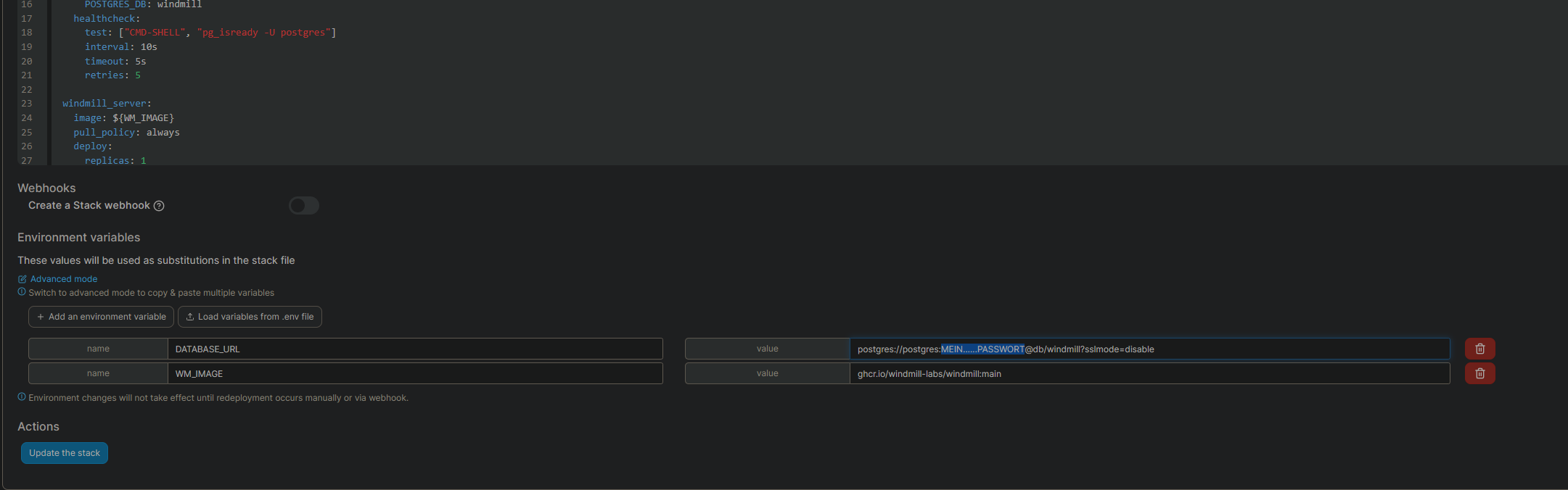
Caddyfile erstellen und verknüpfen siehe oben
No comments to display
No comments to display