
Netbird (VPN IT Infrastructure mit Wireguard und authentik)
Als Client am Beispiel mit Paperless-AI:
services:
  paperless-ai:
    image: clusterzx/paperless-ai:3.0.9
    container_name: paperless-ai
    #network_mode: host
    depends_on:
      - netbird
    restart: unless-stopped
    cap_drop:
      - ALL
    security_opt:
      - no-new-privileges=true
    environment:
      - PUID=1000
      - PGID=1000
      - PAPERLESS_AI_PORT=${PAPERLESS_AI_PORT:-3000}
      - RAG_SERVICE_URL=http://localhost:8000
      - RAG_SERVICE_ENABLED=true
      - PAPERLESS_URL=https://paperless-ai.MEINEDOMAIN.de
    ports:
      - "3057:${PAPERLESS_AI_PORT:-3000}"
    volumes:
      - data:/app/data

  netbird:
    image: netbirdio/netbird:latest
    container_name: paperless-ai-netbird
    hostname: fn-paperless-ai
    privileged: true
    #network_mode: host
    cap_add:
      - NET_ADMIN
      - SYS_ADMIN
      - SYS_RESOURCE
    volumes:
      #- /var/run/netbird:/var/run/netbird
      - nb-var-lib:/var/lib/netbird
      - nb-cfg:/etc/netbird
    environment:
      - NB_SETUP_KEY=FFE.........AA49
    restart: unless-stopped

volumes:
  data:
  nb-cfg:
  nb-var-lib:
Falls netbird up nicht richtig connectet:
sudo systemctl stop netbird
sudo systemctl disable netbird

sudo rm -rf /usr/local/bin/netbird
sudo rm -rf /etc/netbird
sudo rm -rf /var/lib/netbird

sudo apt remove netbird -y

curl -fsSL https://pkgs.netbird.io/install.sh | sudo bash
sudo apt update
sudo apt install netbird -y

# netbird up --allow-server-ssh --enable-ssh-root --setup-key ABC-123-DEF-456
ohne sudo
systemctl stop netbird
systemctl disable netbird

rm -rf /usr/local/bin/netbird
rm -rf /etc/netbird
rm -rf /var/lib/netbird

apt remove netbird -y

curl -fsSL https://pkgs.netbird.io/install.sh | bash
apt update
apt install netbird -y

# netbird up
# netbird up --allow-server-ssh --enable-ssh-root --setup-key ABC-123-DEF-456
Troubleshooting
Fremdes Subnetz nicht erreichbar
Falls eine IP-Adresse aus einem anderen Subnetz nicht erreichbar ist, kann es daran liegen, dass eine Docker-Bridge mit diesem Subnetz vorhanden ist.
Beispiel: Von einem Hetzner Server möchte ich das Subnetz 192.168.5.0/24 erreichen. Der Ping klappt nicht.
Debuggen mit
ip route get 192.168.5.55ergibt zb
root@fn-01:~# ip route get 192.168.5.55
192.168.5.55 dev br-ebe13ac6d23b src 192.168.0.1 uid 0 cache
weiteres debugging:
# Netbird Status
netbird status --detail

# Routing-Tabelle analysieren
ip route show
ip route get 192.168.5.55
# ergibt zb
# root@fn-01:~# ip route get 192.168.5.55
# 192.168.5.55 dev br-ebe13ac6d23b src 192.168.0.1 uid 0 cache
# ^^^^ DA IST DER FEHLER, die Docker-Netzwerk-Bridge br-ebe13ac6d23b sorgt für das Routing und schlägt damit fehl

# Netbird Interface prüfen
ip addr show wt0
sudo iptables -L -v -n | grep -A 10 wt0

# Netbird logs
sudo journalctl -u netbird -f
sudo systemctl status netbird

# Ping mit Details
ping -I wt0 192.168.5.55
traceroute 192.168.5.55
docker network lsergibt
root@fn-01:~# docker network ls
NETWORK ID     NAME                        DRIVER    SCOPE
396e4a7a02a8   backrest_default            bridge    local
9f3a5b5f9017   beszel_default              bridge    local
7ff0d869b3a9   bitwarden_default           bridge    local
944ac8eea6b1   bridge                      bridge    local
8a7ecea723cd   bs_default                  bridge    local
56847cda68c7   heimdall_default            bridge    local
23c9d0945209   host                        host      local
dc6107d2a414   nextcloud-aio               bridge    local
10cf7e670c62   nextcloud_default           bridge    local
4918f3559a98   nginx_lowqart_default       bridge    local
1e7aaa5ae6b2   none                        null      local
6703ef3d8a62   ollama_default              bridge    local
15659627c007   paperless-ai_default        bridge    local
f02f912a0898   paperless_default           bridge    local
e29d199145fc   reverseproxy_network        bridge    local
9e294e453ecb   semaphore_default           bridge    local
f1dde6f30b1f   shlink_default              bridge    local
c7750a87eef4   syncthing_default           bridge    local
f0e08f4a4c7c   uptimekuma_default          bridge    local
c85d048db1b1   vikunja_default             bridge    local
57cd332f96b1   windmill_default            bridge    local
ebe13ac6d23b   zerobyte_default            bridge    local
# ^^^ fehlerhafte bridge
docker network inspect ebe13ac6d23bergebnis: die docker network bridge nimmt 192.168.0.0/20 als subnet, was 192.168.5.0/24 inkludiert.
lösung für die Problem-Bridge:
docker-compose von zb zerobyte
...

      - /var/lib/docker:/backup-var-lib
      - /mnt/fn-volume-01:/backup-fn-volume-01
    networks:
      - zerobyte_network # <<< wichtig

volumes:
  app:

networks:
  zerobyte_network:
    driver: bridge
    ipam:
      config:
        - subnet: 172.69.19.0/24
          gateway: 172.69.19.1
danach wird die alte bridge mit 192.168.0.0/20 gelöscht und eine neue mit subnet 172.69.19.0/24 erstellt.
Dauerhafte lösung: siehe https://wiki.folkerts.it/books/docker/page/ip-kollidierung-bei-netbird-verhindern-192168x-und-101x
nano /etc/docker/daemon.json
{
  "default-address-pools": [
    {
      "base": "172.16.0.0/12",
      "size": 20
    }
  ],
  "data-root": "/mnt/fn-volume-01/docker-data",
  "log-opts": {
    "max-size": "100m",
    "max-file": "5"
  }
}
sudo systemctl restart dockerNetbird Cloud auf Unifi-Gateway installieren
https://git.shivering-isles.com/-/snippets/22
install.sh
#!/bin/bash

set -e

if test $(ubnt-device-info firmware) \< "3.0.0"; then
    echo "Try the other UDM setup script for 1.x: https://git.shivering-isles.com/-/snippets/19" >&2
    exit 1
fi

mkdir -p /data/netbird

cd /data/netbird

if [[ -e ./netbird ]]; then
    mv ./netbird ./netbird.old
fi

NETBIRD_VERSION="$(curl -s https://api.github.com/repos/netbirdio/netbird/releases/latest | jq -r ".tag_name")"
curl -L https://github.com/netbirdio/netbird/releases/download/${NETBIRD_VERSION}/netbird_${NETBIRD_VERSION//v}_linux_arm64.tar.gz | tar xvzf -

./netbird service install || true # ignore error since it'll fail if it's already installed

# Due to outdated kernels by unifi, this is required otherwise newer versions of netbird fail to start
mkdir -p /etc/systemd/system/netbird.service.d/
cat >/etc/systemd/system/netbird.service.d/legacy.conf <<EOF
[Service]
Environment="NB_USE_LEGACY_ROUTING=true"
Environment="NB_DISABLE_CUSTOM_ROUTING=true"
EOF

systemctl daemon-reload

if systemctl is-active netbird.service; then
    systemctl restart netbird.service
fi

if ! systemctl is-enabled netbird.service; then
    systemctl enable --now netbird.service
fi
danach
chmod +x install.sh
./install.sh

curl -fsSL https://pkgs.netbird.io/install.sh | sh

/data/netbird/netbird -k <setup key> up
Netbird als Management-Server selbst hosten
Dieses Tutorial funktioniert noch nicht zu 100%. Ich bleibe immer bei netbird.domain.de/peers mit Ladeloop hängen
Links zum Problem:
https://github.com/netbirdio/netbird/issues/3110 Client failed to connect to Self-Hosted NetBird server: failed while getting Management Service public key
https://github.com/netbirdio/netbird/issues/3007 Stuck on loading screen on "/peers" (Authentik)
https://github.com/netbirdio/netbird/issues/3007#issuecomment-2764264829 < hat geholfen
https://github.com/netbirdio/netbird/issues/3007#issuecomment-2564843380 < nginx-pm cfg
https://github.com/netbirdio/netbird/issues/2941 Request failed with status code 401 (Authentik) < scope api access & redirects
https://github.com/netbirdio/netbird/issues/2515 Unable to authenticate with Authentik SSO
https://github.com/netbirdio/netbird/issues/2510 Netbird with NGiNX Proxy Manager and Authentik
https://github.com/netbirdio/netbird/issues/2338 Can't access dashboard - Token Invalid, Authentik
https://github.com/netbirdio/netbird/issues/2043 error: failed while getting Management Service public key
https://github.com/netbirdio/netbird/issues/2043#issuecomment-2384470230 < nginx-pm cfg
https://github.com/netbirdio/netbird/issues/1962 netbird dashboard does not open properly
https://github.com/netbirdio/netbird/issues/1742 NGINX reverse proxy question
https://github.com/netbirdio/netbird/issues/1250 Authentik login not working: Login Error: User state: Unauthenticated
https://github.com/netbirdio/netbird/issues/536 Run netbird behind reverse proxy
https://docs.netbird.io/selfhosted/selfhosted-guide#step-2-prepare-configuration-files
https://docs.netbird.io/selfhosted/identity-providers#authentik
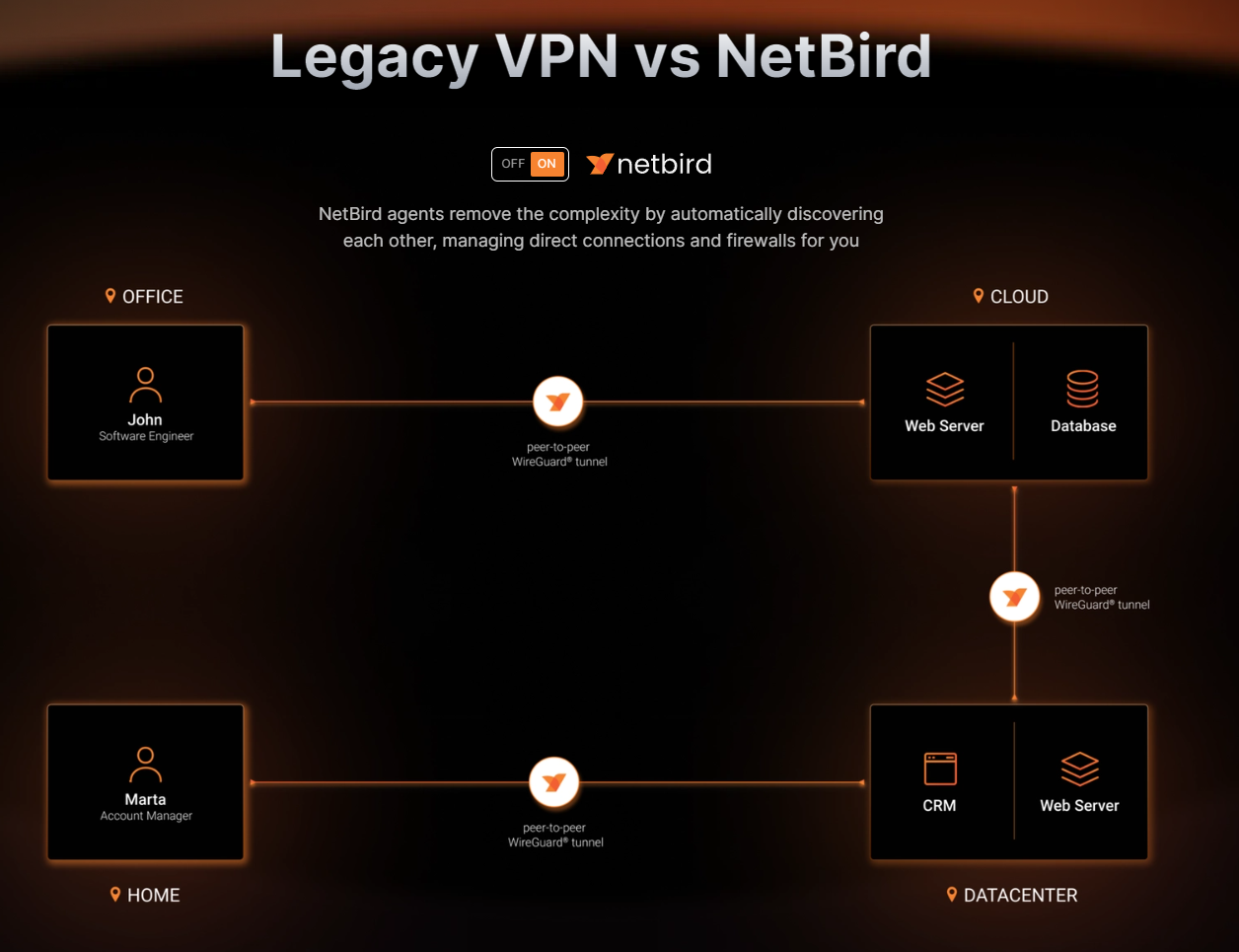
Folge dieser Anleitung: https://docs.netbird.io/selfhosted/selfhosted-guide
Es wird ein Skript zur Verfügung gestellt, mit dem man eine docker-compose.yml nach eigenen Wünschen aus template Dateien erzeugen kann.
Anleitung ganz genau lesen!
VIDEO DAZU: https://www.youtube.com/watch?v=QQaRB1vL6Q8
Vorschlag für NGINX Proxy Manager Advanced cfg aus gh issue https://github.com/netbirdio/netbird/issues/3110#issuecomment-2567362588
# This is necessary so that grpc connections do not get closed early
# see https://stackoverflow.com/a/67805465
client_header_timeout 1d;
client_body_timeout 1d;

proxy_set_header        X-Real-IP $remote_addr;
proxy_set_header        X-Forwarded-For $proxy_add_x_forwarded_for;
proxy_set_header        X-Scheme $scheme;
proxy_set_header        X-Forwarded-Proto https;
proxy_set_header        X-Forwarded-Host $host;
grpc_set_header         X-Forwarded-For $proxy_add_x_forwarded_for;
proxy_set_header       Authorization $http_authorization;
grpc_set_header         Authorization $http_authorization;

# Proxy dashboard
location / {
    proxy_pass http://nb-dashboard:80;
}
# Proxy Signal
location /signalexchange.SignalExchange/ {
    grpc_pass grpc://nb-signal:80;
    grpc_set_header         Authorization $http_authorization;
    grpc_ssl_verify off;
    grpc_read_timeout 1d;
    grpc_send_timeout 1d;
    grpc_socket_keepalive on;
}
# Proxy Management http endpoint
location /api {
    proxy_pass http://nb-management:443;
}
# Proxy Management grpc endpoint
location /management.ManagementService/ {
    grpc_pass grpc://nb-management:443;
    grpc_set_header         Authorization $http_authorization;
    grpc_ssl_verify off;
    grpc_read_timeout 1d;
    grpc_send_timeout 1d;
    grpc_socket_keepalive on;
}
No comments to display
No comments to display