Vikunja
docker-compose.yml
version: '3'

services:
  vikunja:
    image: vikunja/vikunja:0.24.6
    environment:
      VIKUNJA_SERVICE_PUBLICURL: https://vikunja.MEINEDOMAIN.DE
      VIKUNJA_DATABASE_HOST: db
      VIKUNJA_DATABASE_PASSWORD: MEINDB-PW-123 (gleiches wie unten)
      VIKUNJA_DATABASE_TYPE: postgres
      VIKUNJA_DATABASE_USER: vikunja
      VIKUNJA_DATABASE_DATABASE: vikunja
      VIKUNJA_SERVICE_JWTSECRET: GCP.........bjd ("openssl rand 32 -base64" in shell eingeben)
      #EMAIL-Settings
      #VIKUNJA_MAILER_AUTHTYPE: plain
      #VIKUNJA_MAILER_SKIPTLSVERIFY: 1
      #VIKUNJA_MAILER_FORCESSL: 1
      VIKUNJA_SERVICE_ENABLEEMAILREMINDERS: 1
      VIKUNJA_MAILER_ENABLED: 1
      VIKUNJA_MAILER_HOST: smtp.MAILSERVER.DE
      VIKUNJA_MAILER_PORT: 587
      VIKUNJA_MAILER_USERNAME: USER@DOMAIN.DE
      VIKUNJA_MAILER_PASSWORD: MEINMAILPW123
      VIKUNJA_MAILER_FROMEMAIL: USER@DOMAIN.DE
      #Allow New User Registration (Für ersten User auf true setzen, User anlegen und danach wieder auf false)
      VIKUNJA_SERVICE_ENABLEREGISTRATION: true
      #JWT Token Expiration in Seconds (2592000 = 30 days, default is 3 days = 259200)
      VIKUNJA_SERVICE_JWTTTL: 2592000
      #Defaultsettings  https://vikunja.io/docs/config-options/
      VIKUNJA_DEFAULTSETTINGS_EMAIL_REMINDERS_ENABLED: true
      VIKUNJA_DEFAULTSETTINGS_DISCOVERABLE_BY_NAME: true
      VIKUNJA_DEFAULTSETTINGS_DISCOVERABLE_BY_EMAIL: true
      VIKUNJA_DEFAULTSETTINGS_OVERDUE_TASKS_REMINDERS_ENABLED: true
      VIKUNJA_DEFAULTSETTINGS_WEEK_START: 1 #0=Sunday, 1=Monday, etc...
      VIKUNJA_DEFAULTSETTINGS_LANGUAGE: de-
      #Trello import
      VIKUNJA_MIGRATION_TRELLO_ENABLE: true
      VIKUNJA_MIGRATION_TRELLO_KEY: xxx
      #Prometheus Metrics (.../api/v1/metrics)
      VIKUNJA_METRICS_ENABLED: true
      #OIDC Usersearch
      VIKUNJA_SERVICE_ENABLEOPENIDTEAMUSERSEARCH: true
      #Weiteres
      VIKUNJA_SERVICE_CUSTOMLOGOURL: https://auth.MEINEAUTHENTIKDOMAIN.de/media/public/pr...ng/PL-Logo.png
    ports:
      - 3456:3456
    volumes:
      - app:/app/vikunja/files
      - config:/etc/vikunja/
    depends_on:
      db:
        condition: service_healthy
    restart: unless-stopped
  db:
    image: postgres:16
    environment:
      POSTGRES_PASSWORD: MEINDB-PW-123 (gleiches wie oben)
      POSTGRES_USER: vikunja
    volumes:
      - db:/var/lib/postgresql/data
    restart: unless-stopped
    healthcheck:
      test: ["CMD-SHELL", "pg_isready -h localhost -U $$POSTGRES_USER"]
      interval: 2s

volumes:
  app:
  db:
  config:
Schreibrechte für files erteilen
(default ist root user mit uid 1000 für den container)
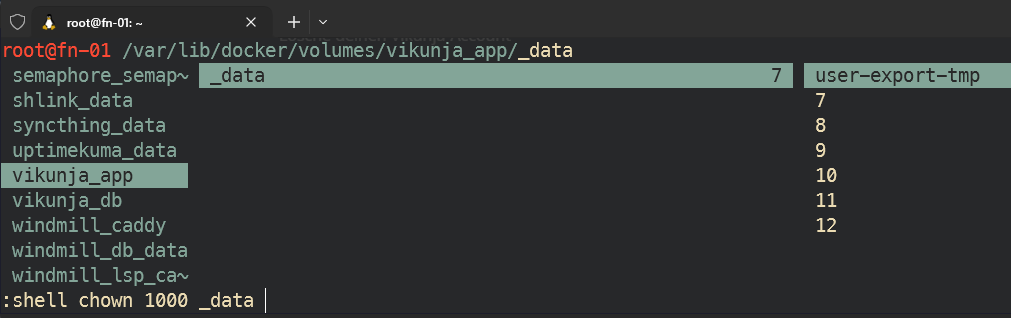
Für Schreibrechte muss man noch den root user 1000 für das App-Volume berechtigen:
chown 1000 $PWD/fileszb in ranger mit Shortcut s um ein Shell-cmd einzugeben:
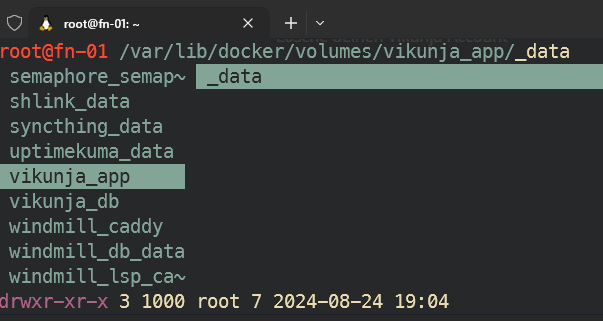
sieht danach so aus:
Account anlegen
dann die subdomain anlegen, Reverserproxy konfigurieren und domain aufrufen:
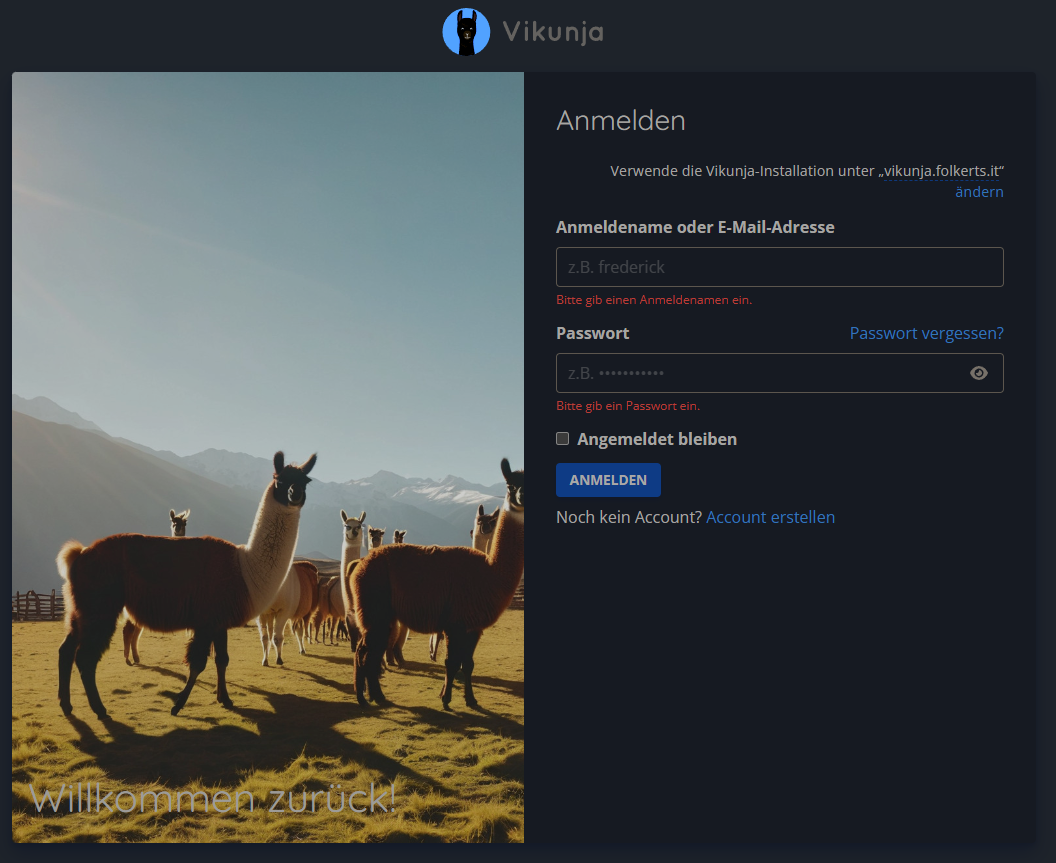
auf 'Account erstellen' und ersten bzw weitere Accounts erstellen.
Danach im Stack die env
VIKUNJA_SERVICE_ENABLEREGISTRATION=falsesetzen, um weitere Anmeldungen zu verhindern.
Authentik verknüpfen
OBACHT: Mit dem aktuellsten unstable Release ändert sich die OIDC Syntax in der config.yml von Vikunja. Die alte Version für Vikunja 0.24.6 findest du weiter unten!
für die config.yml, das volume config: verwenden und dort eine config.yml anlegen:
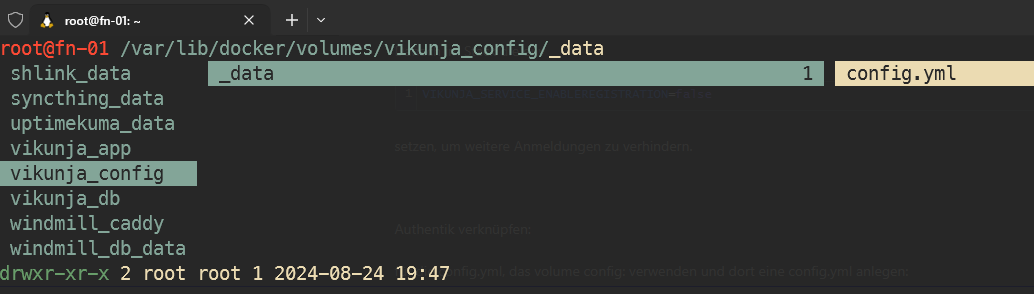
mit dem inhalt:
ACHTUNG! SYNTAX IST FÜR NEUE UNSTABLE VERSION NACH 0.24.6! ALTE CONFIG WEITER UNTEN
# neue Syntax für unstable release nach 0.24.6
# https://vikunja.io/docs/openid/#step-2-configure-vikunja
auth:
  local:
    enabled: false
  openid:
    enabled: true
    redirecturl: https://vikunja.MEINEDOMAIN.DE/auth/openid/ #SLASH AM ENDE IST WICHTIG
    providers:
      AUTHENTIK:
        name: "Authentik"
        authurl: https://auth.MEINEDOMAIN.DE/application/o/vikunja/ #SLASH AM ENDE IST WICHTIG
        clientid: Bes........Hzg
        clientsecret: giQY...................A1b6XW
        scope: openid profile email vikunja_scope
        forceuserinfo: false # Optional: Set to true to always use UserInfo endpoint instead of ID token claims, defaults to false
ALTE SYNTAX zB FÜR VERSION 0.24.6:
auth:
  # Local authentication will let users log in and register (if enabled) through the db.
  # This is the default auth mechanism and does not require any additional configuration.
  local:
    # Enable or disable local authentication
    enabled: true
  # OpenID configuration will allow users to authenticate through a third-party OpenID Connect compatible provider.<br/>
  # The provider needs to support the `openid`, `profile` and `email` scopes.<br/>
  # **Note:** Some openid providers (like gitlab) only make the email of the user available through openid claims if they have set it to be publicly vis>  # If the email >  # **Note 2:** The frontend expects to be redirected after authentication by the third party
  # to <frontend-url>/auth/openid/<auth key>. Please make sure to configure the redirect url with your third party
  # auth service accordingly if you're using the default Vikunja frontend.
  # Take a look at the [default config file](https://github.com/go-vikunja/api/blob/main/config.yml.sample) for more information about how to configure >  openid:
  openid:
    # Enable or disable OpenID Connect authentication
    enabled: true
    # A list of enabled providers
    providers:
      # The name of the provider as it will appear in the frontend.
      - name: "authentik Login"
        # The auth url to send users to if they want to authenticate using OpenID Connect.
        authurl: https://auth.MEINEDOMAIN.DE/application/o/vikunja/
        # The client ID used to authenticate Vikunja at the OpenID Connect provider.
        clientid: x8GYDQBG8..........WPiN0n
        # The client secret used to authenticate Vikunja at the OpenID Connect provider.
        clientsecret: vdciH0h1L..........................................................dPHA9WBP6tGLD

        # https://vikunja.io/docs/openid#setup-in-authentik
        logouturl: https://auth.MEINEDOMAIN.DE/application/o/vikunja/end-session/"
        scope: openid email profile vikunja_scope
weiteres unter
https://docs.goauthentik.io/integrations/services/vikunja/
und um teams / groups zu syncen:
https://vikunja.io/docs/openid#setup-in-authentik
easyVerein als IdP
Konfiguration bei easyVerein:
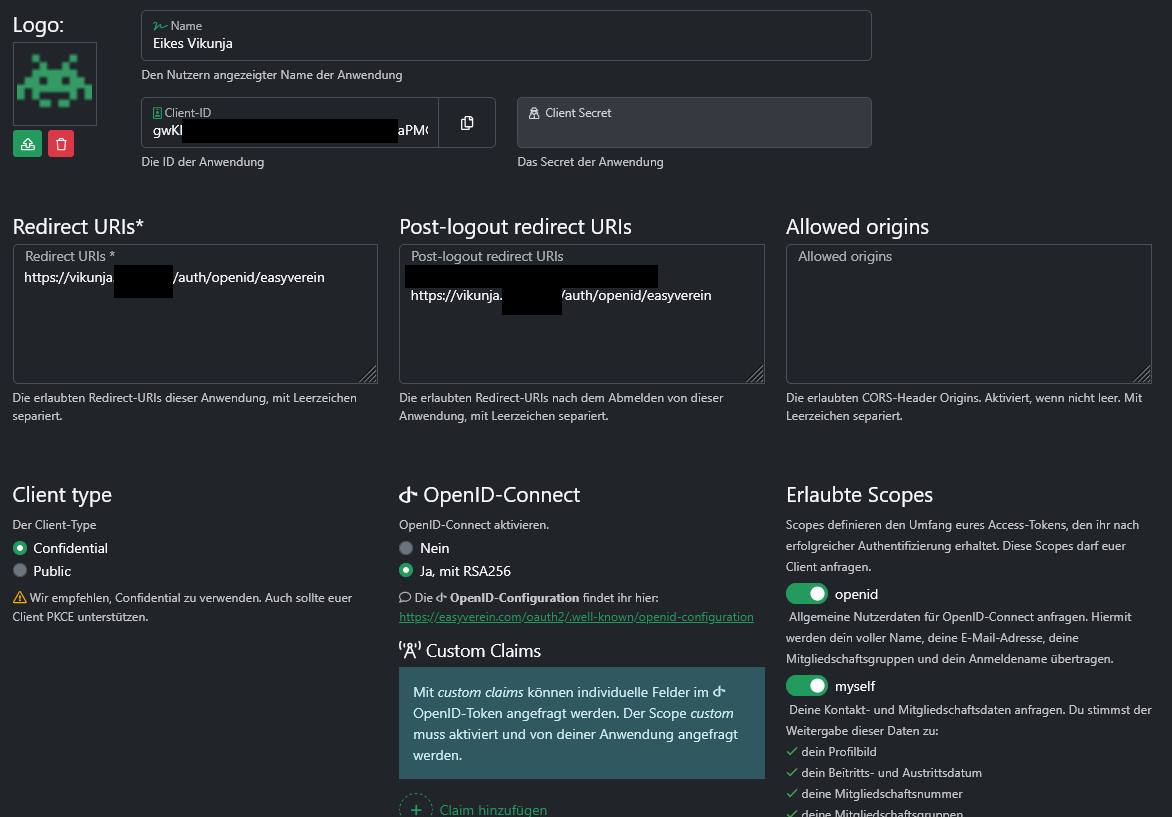
config.yml vom Vikunja Docker Volume config:
(NEUE SYNTAX!, siehe oben)
auth:
  local:
    enabled: false
  openid:
    enabled: true
    redirecturl: https://vikunja.MEINEDOMAIN.DE/auth/openid/
    providers:
      AUTHENTIK:
        name: "Authentik"
        authurl: https://authentik.MEINEDOMAIN.DE/application/o/vikunja/
        clientid: Bes.......nMHzg
        clientsecret: giQYkB9j..................................XIWCw3po
        scope: openid profile email vikunja_scope
        forceuserinfo: false
      easyVerein:
        name: "easyVerein"
        authurl: https://easyverein.com/oauth2
        clientid: gwKKKZ....PMCU7W4lt
        clientsecret: Z6jug0..........................iiOo1T8
        scope: openid myself
Vikunja Teams aus Authentik übernehmen
https://vikunja.io/docs/openid#setup-in-authentik
in der config.yml (siehe oben) ist dafür bereits der scope vikunja_scope eingestellt. Der Custom Scope muss nun noch in Authentik angelegt werden:
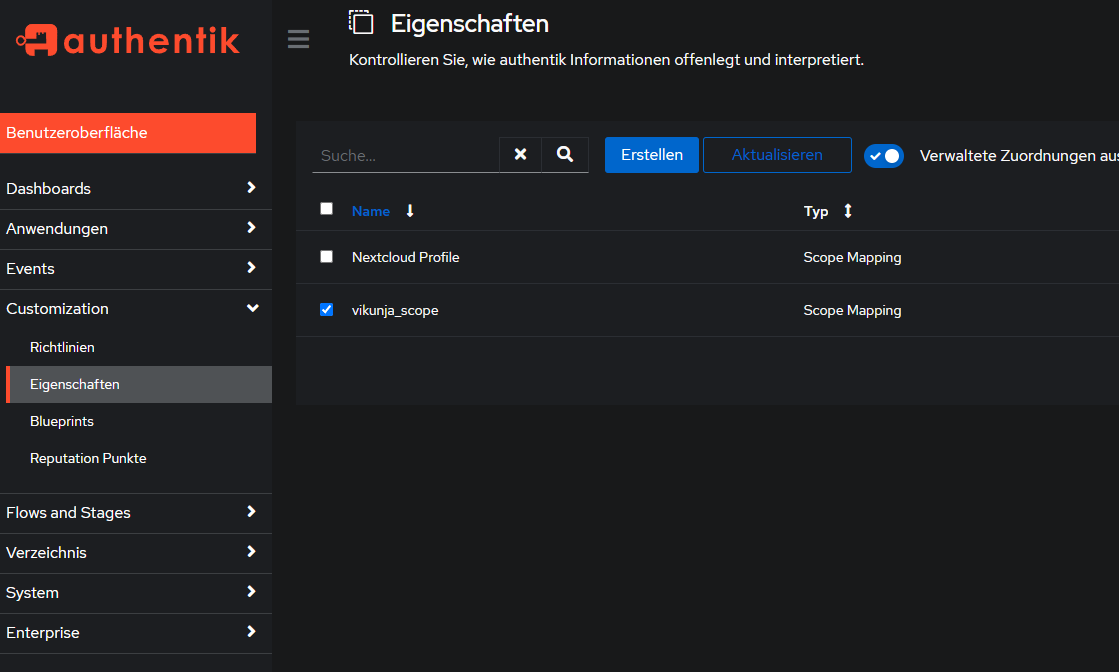
neuer scope unter Customization > Eigenschaften (Properties auf eng?) > Erstellen > Scope Mapping >
Name: vikunja_scope
Bereichsname: vikunja_scope (?)
Ausdruck:
groupsDict = {"vikunja_groups": []}
for group in request.user.ak_groups.all():
  groupsDict["vikunja_groups"].append({"name": group.name, "oidcID": group.num_pk})
return groupsDict
> Fertig
Danach unter Anwendungen > Anbieter (Provider auf eng.) > Vikunja > Erweiterte Protokolleinstellungen > email, openid, profile, vikunja_scope mit gedrückter STRG-Taste und Mausklick auswählen:
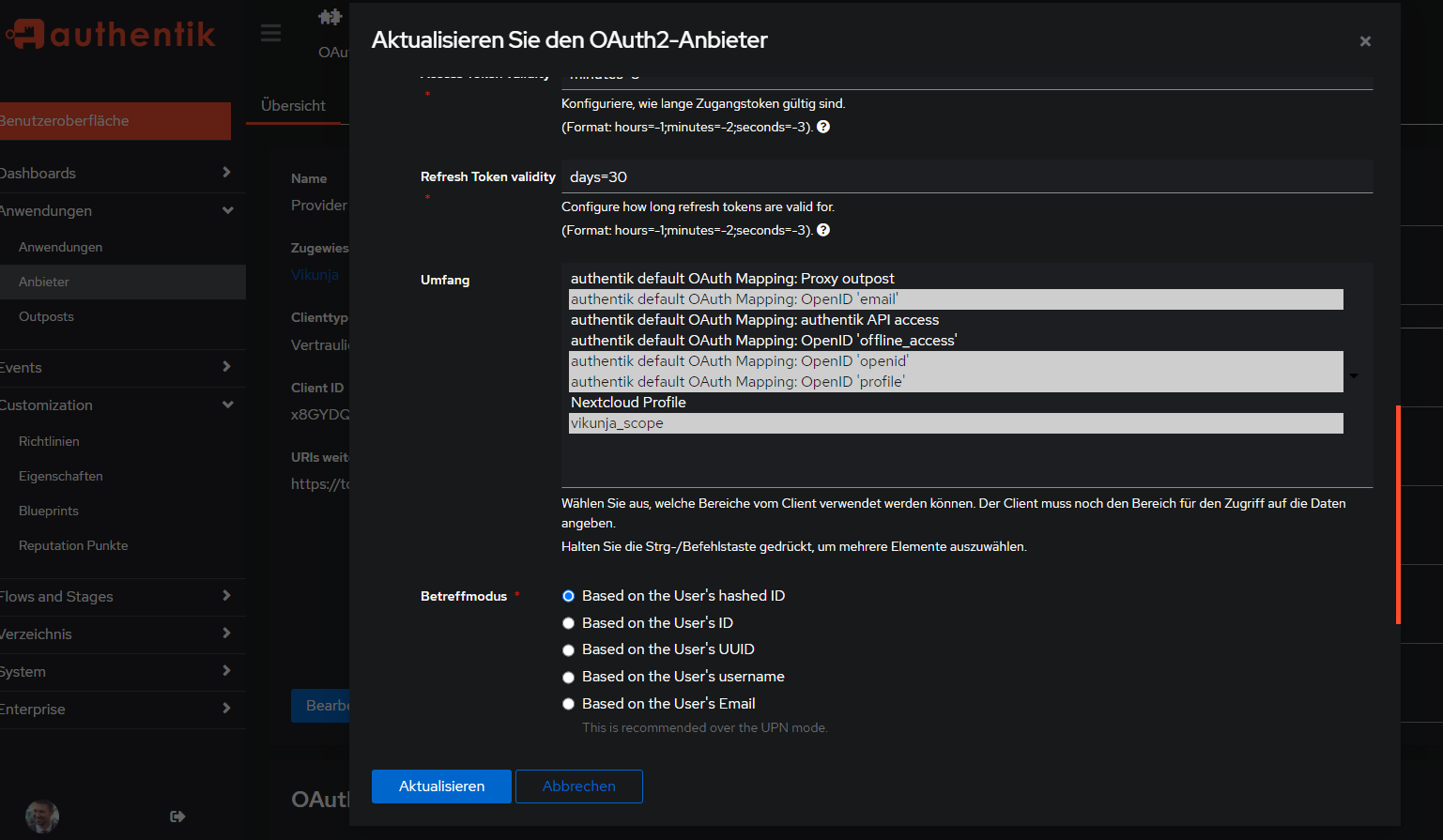
> Aktualisieren
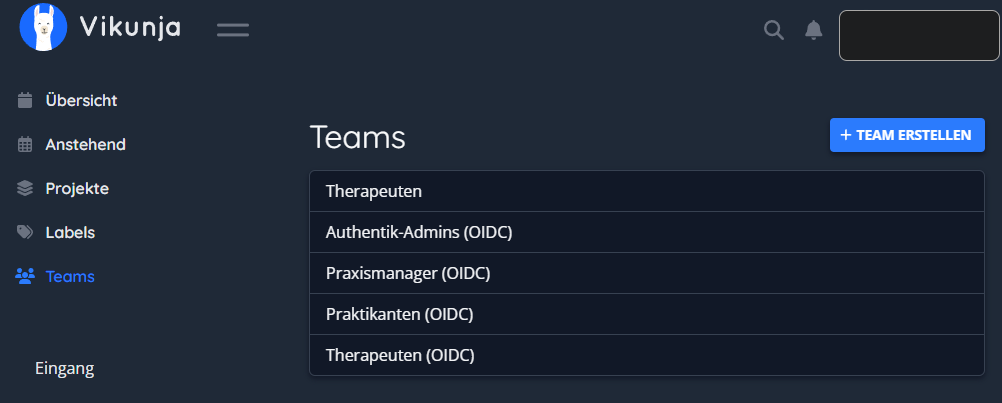
Vikunja Container neustarten, nochmal aus- und einloggen mit Authentik bei Vikunja, dann sollten die Teams (Gruppen) aus Authentik übernommen worden sein: