Nextcloud
PL (aktuell bevorzugte Variante)
samba-variante:
version: '3'

services:
  db:
    image: postgres:alpine
    restart: always
    volumes:
      - hetzner_sb:/var/lib/postgresql/data:Z
    env_file:
      - stack.env

  redis:
    image: redis:alpine
    restart: always

  app:
    image: nextcloud:apache
    restart: always
    ports:
      - 8654:80
    volumes:
      - hetzner_sb:/var/www/html:z
    environment:
      - POSTGRES_HOST=db
      - REDIS_HOST=redis
    env_file:
      - stack.env
    depends_on:
      - db
      - redis

  cron:
    image: nextcloud:apache
    restart: always
    volumes:
      - hetzner_sb:/var/www/html:z
    entrypoint: /cron.sh
    depends_on:
      - db
      - redis


volumes:
  db:
  hetzner_sb:
    driver: local
    driver_opts:
      type: cifs
      o: "username=u12345-sub1,password=zwwEXAMPLEQpp,file_mode=0770,dir_mode=0770,vers=3.1.1,seal,uid=33"
      device: "//u12345-sub1.your-storagebox.de/u12345-sub1/dockervolume_nextcloud"
env-vars weiter unten...
...,file_mode=0770,dir_mode=0770,vers=3.1.1,seal,uid=33"am ende nicht vergessen!
nicht-samba-variante: (Diese Variante installiert sich komplett selbst)
stand 22.11.2024, aktuelle docker-image-versionen ausm dockerhub holen:
https://hub.docker.com/r/collabora/code
https://hub.docker.com/_/nextcloud
https://hub.docker.com/_/postgres
https://hub.docker.com/_/redis
version: '3'

services:
  db:
    image: postgres:alpine16.5-alpine3.20
    restart: always
    volumes:
      - db:/var/lib/postgresql/data:Z
    env_file:
      - stack.env

  redis:
    image: redis:alpine7.4.1-alpine3.20
    restart: always

  app:
    image: nextcloud:30.0.2-apache
    restart: always
    ports:
      - 8654:80
    volumes:
      - app:/var/www/html:z
    environment:
      - POSTGRES_HOST=db
      - REDIS_HOST=redis
    env_file:
      - stack.env
    depends_on:
      - db
      - redis
    deploy:
      resources:
        limits:
          cpus: '0.90'
          memory: 4000M

  cron:
    image: nextcloud:30.0.2-apache
    restart: always
    volumes:
      - app:/var/www/html:z
    entrypoint: /cron.sh
    depends_on:
      - db
      - redis


volumes:
  db:
  app:
dazugehörige Environment variables (bei einem Portainer stack unten auf advanced mode stellen, da steht auch dass sie als stack.env eingebunden werden müssen)
POSTGRES_PASSWORD=MEINPASSWORD123
POSTGRES_DB=nextcloud
POSTGRES_USER=nextcloud

NEXTCLOUD_ADMIN_USER=MEIN-NC-ADMIN
NEXTCLOUD_ADMIN_PASSWORD=MEIN-NC-PW

OVERWRITEPROTOCOL=https
OVERWRITECLIURL=https://nextcloud.MEINEDOMAIN.de
NEXTCLOUD_TRUSTED_DOMAINS=nextcloud.MEINEDOMAIN.de
NEXTCLOUD_DEFAULT_LANGUAGE=de

OBJECTSTORE_S3_BUCKET=nextcloud
OBJECTSTORE_S3_KEY=DC...MEIN-minio-ACCESSKEY...dVZP
OBJECTSTORE_S3_SECRET=jJsHxEhdIJUM....MEIN-minio-SECRETKEY....4xTd9REse
OBJECTSTORE_S3_HOST=minio-s3.MEINEDOMAIN.de
OBJECTSTORE_S3_PORT=443
OBJECTSTORE_S3_SSL=true
OBJECTSTORE_S3_USEPATH_STYLE=true
Diese env-vars werden nur beim ersten Erzeugen in die config/config.php geschrieben. Wenn sie bei einer bestehenden Instanz nachgetragen werden, muss man die config.php von Hand bearbeiten.
weitere interessante Einstellungen in der config/config.php:
  'default_language' => 'de',
  'default_locale' => 'de',
  'default_timezone' => 'Europe/Berlin',
  'defaultapp' => 'files',
  'knowledgebaseenabled' => false,
  'lost_password_link' => 'disabled',
  'skeletondirectory' => '',
samba-variante:
version: '3'

services:
  db:
    image: postgres:alpine
    restart: always
    volumes:
      - hetzner_sb:/var/lib/postgresql/data:Z
    env_file:
      - stack.env

  redis:
    image: redis:alpine
    restart: always

  app:
    image: nextcloud:apache
    restart: always
    ports:
      - 8654:80
    volumes:
      - hetzner_sb:/var/www/html:z
    environment:
      - POSTGRES_HOST=db
      - REDIS_HOST=redis
    env_file:
      - stack.env
    depends_on:
      - db
      - redis

  cron:
    image: nextcloud:apache
    restart: always
    volumes:
      - hetzner_sb:/var/www/html:z
    entrypoint: /cron.sh
    depends_on:
      - db
      - redis


volumes:
  db:
  hetzner_sb:
    driver: local
    driver_opts:
      type: cifs
      o: "username=u12345-sub1,password=zwwEXAMPLEQpp,file_mode=0770,dir_mode=0770,vers=3.1.1,seal,uid=33"
      device: "//u12345-sub1.your-storagebox.de/u12345-sub1/dockervolume_nextcloud"
...,file_mode=0770,dir_mode=0770,vers=3.1.1,seal,uid=33"am ende nicht vergessen!
Quellen:
https://help.nextcloud.com/t/how-to-get-a-rock-solid-nextcloud-installation/150002
https://github.com/nextcloud/docker/blob/master/.examples/docker-compose/insecure/postgres/apache/docker-compose.yml
Mit MariaDB von
https://xmpls.org/install-nextcloud-with-docker-compose/
Workinsense
version: '2'

services:
  db:
    image: mariadb:10.5
    command: --transaction-isolation=READ-COMMITTED --binlog-format=ROW
    volumes:
      - ./nextcloud-mariadb/mariadb:/var/lib/mysql
    environment:
      - MYSQL_ROOT_PASSWORD=nextclouddb
      - MYSQL_PASSWORD=nextclouddb
      - MYSQL_DATABASE=nextcloud
      - MYSQL_USER=nextcloud
    restart: unless-stopped

  app:
    image: nextcloud
    ports:
      - 5001:80
    links:
      - db
    volumes:
      - ./nextcloud-mariadb/nextcloud-itself:/var/www/html
    environment:
      - MYSQL_PASSWORD=nextclouddb
      - MYSQL_DATABASE=nextcloud
      - MYSQL_USER=nextcloud
      - MYSQL_HOST=db
    restart: unless-stopped
Für weitere Schritte (DOMAIN ZU TRUSTED DOMAINS HINZUFÜGEN), den Nextcloud Artikel im Buch TrueNAS folgen:
Fernnetz (arm)
WICHTIG! Die Environment-Variablen NEXTCLOUD_TRUSTED_DOMAINS, OVERWRITEPROTOCOL und OVERWRITECLIURL werden in die config.php von Nextcloud nur bei Erstellung des Containers geschrieben. Eine nachträgliche Änderung ist nicht möglich (zumindest nicht ueber docker-compose ENVs. Wenn man es aendern möchte muss man die config.php im container editieren).
Siehe https://github.com/nextcloud/docker/issues/582#issuecomment-834225766
<nextcloud.mydomain.com> ersetzen
version: '2'

services:
  db:
    image: mariadb:10.5
    command: --transaction-isolation=READ-COMMITTED --binlog-format=ROW
    volumes:
      - ./nextcloud/mariadb:/var/lib/mysql #befindet sich unter /data/compose/<stack-nummer>/... auf dem docker host
    environment:
      - MYSQL_ROOT_PASSWORD=nextclouddb
      - MYSQL_PASSWORD=nextclouddb
      - MYSQL_DATABASE=nextcloud
      - MYSQL_USER=nextcloud
    restart: unless-stopped

  app:
    image: nextcloud
    ports:
      - 5001:80
    links:
      - db
    volumes:
      - ./nextcloud/app:/var/www/html
    environment:
      - NEXTCLOUD_TRUSTED_DOMAINS=<nextcloud.mydomain.com>
      - OVERWRITEPROTOCOL=https
      - OVERWRITECLIURL=https://<nextcloud.mydomain.com>

      - MYSQL_PASSWORD=nextclouddb
      - MYSQL_DATABASE=nextcloud
      - MYSQL_USER=nextcloud
      - MYSQL_HOST=db
    restart: unless-stopped
Standardsprache DE für neue Benutzer
mit
docker exec -it nextcloud-app-1 bashin die Shell des Containers gehen (oder einfach im Volume), dann
apt-get update
apt-get install nano
nano config/config.php
und folgendes anhängen:
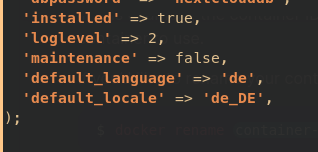
  'loglevel' => 2,
  'maintenance' => false,
  'default_language' => 'de',
  'default_locale' => 'de_DE',
  'default_timezone' => 'Europe/Berlin',
);
https://docs.nextcloud.com/server/16/admin_manual/configuration_server/language_configuration.html
Weitere Einstellungen für config.php
  'default_language' => 'de',
  'default_locale' => 'de',
  'default_timezone' => 'Europe/Berlin',
  'defaultapp' => 'files',
  'knowledgebaseenabled' => false,
  'lost_password_link' => 'disabled',
  'skeletondirectory' => '',
  'simpleSignUpLink.shown' => false,
  'loglevel' => 2,
S3 Minio als primary storage in config.php
(eigentlich über die env-vars im Stack, aber falls das verpasst wurde)
  'objectstore' =>
  array (
    'class' => '\\OC\\Files\\ObjectStore\\S3',
    'arguments' =>
    array (
      'bucket' => 'nextcloud',
      'region' => '',
      'hostname' => 'minio-s3.MEINEDOMAIN.de',
      'port' => '443',
      'StorageClass' => '',
      'objectPrefix' => 'urn:oid:',
      'autocreate' => false,
      'use_ssl' => true,
      'use_path_style' => true,
      'legacy_auth' => false,
      'key' => '3svCe...wVvluT',
      'secret' => 'mHK6Q............0GTa',
    ),
  ),
E-Mail Einstellungen SMTP in config.php (auch über GUI)
  'mail_from_address' => 'admin',
  'mail_smtpmode' => 'smtp',
  'mail_sendmailmode' => 'smtp',
  'mail_domain' => 'MEINEDOMAIN.de',
  'mail_smtphost' => 'smtp.strato.de',
  'mail_smtpauth' => 1,
  'mail_smtpport' => '587',
  'mail_smtpname' => 'admin@MEINEDOMAIN.de',
  'mail_smtppassword' => 'MEIN-123-PASSWORT',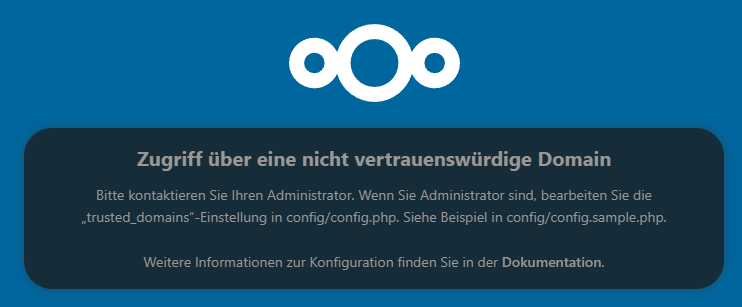
Zugriff über eine nicht vertrauenswürdige Domain
Bitte kontaktieren Sie Ihren Administrator. Wenn Sie Administrator sind, bearbeiten Sie die „trusted_domains“-Einstellung in config/config.php. Siehe Beispiel in config/config.sample.php.
falls die trusted domains in den env nicht passen, siehe ....
- NEXTCLOUD_TRUSTED_DOMAINS=<nextcloud.mydomain.com>
- OVERWRITEPROTOCOL=https
- OVERWRITECLIURL=https://<nextcloud.mydomain.com>
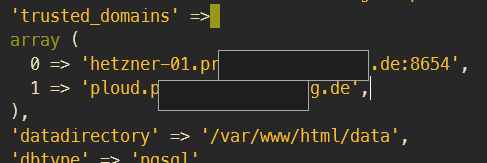
...muss die config/config.php noch bearbeitet werden:
'trusted_domains' =>
  array (
   0 => 'localhost',
   1 => 'server1.example.com',
   2 => '192.168.1.50',
   3 => '[fe80::1:50]',
),
PERMISSION / OWNER FEHLER
Configuration was not read or initialized correctly, not overwriting /var/www/html/config/config.php
Passiert evtl beim Migrieren
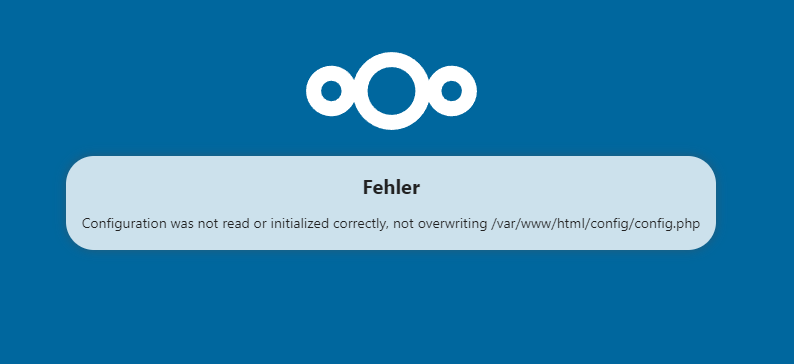
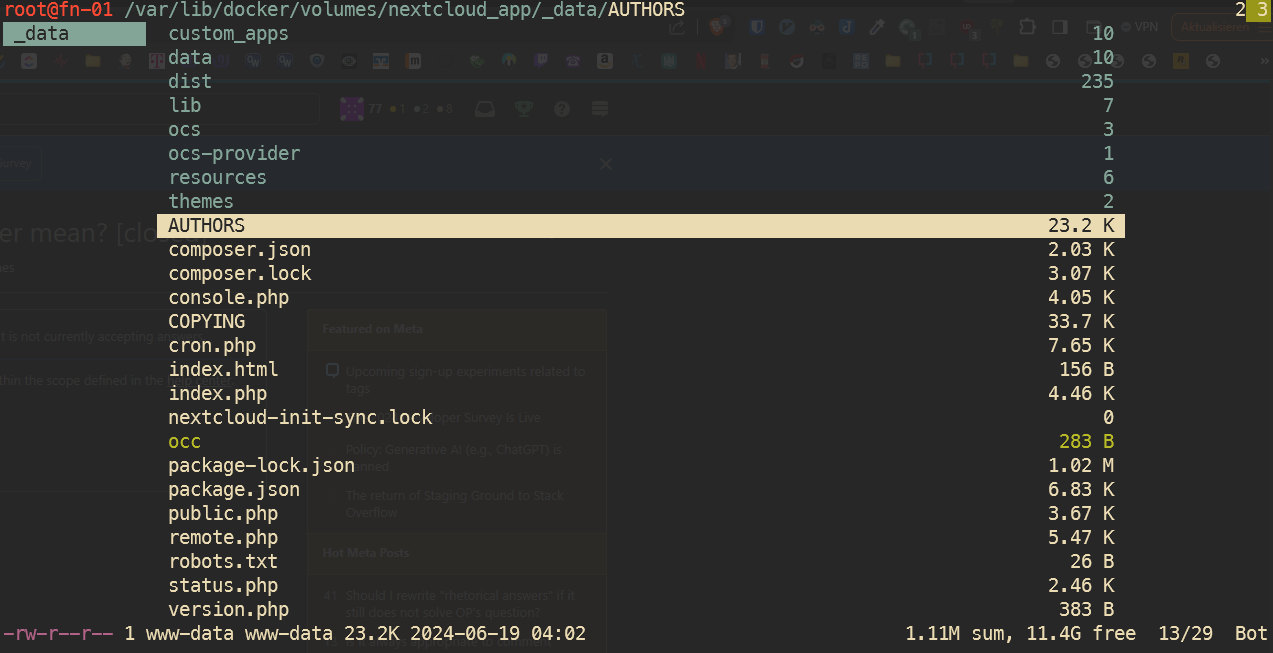
Wenn dieser Fehler kommt, kann es sein, dass der Besitz oder die Berechtigungen der Dateien im Volume nicht stimmen.
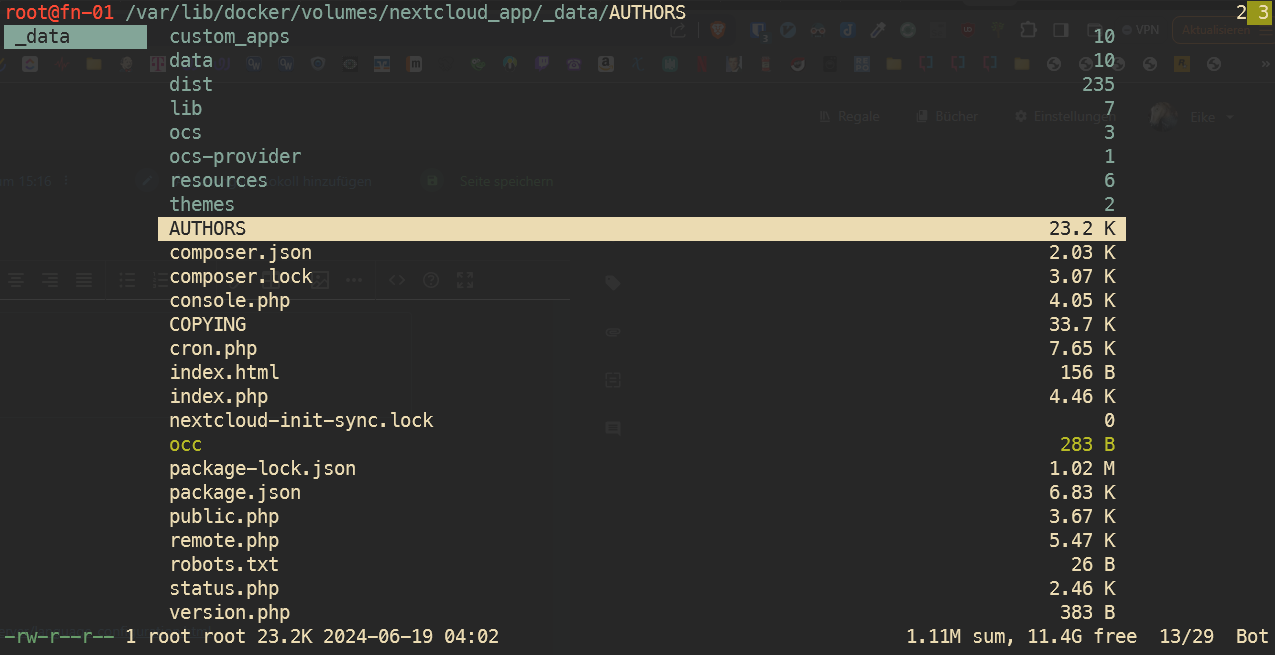
Hier zu sehen im CLI Fileexplorer Ranger, dass der Besitzer root ist (unten links), sollte aber www-data sein.
Um den Besitzer zu ändern, eine Ebene höher gehen, sodass der Ordner _data zu sehen ist, mit ! ein Shell Command ausführen
('@'-Zeichen ist der Shortcut für Shell-Kommando in Ranger):
chown -R www-data:www-data _datadas ändert die Rechte rekursiv, also auch alle untergeordneten Dateien und Ordner: