Proxmox
- AdGuard LXC Container
- SMB/CIFS als Storage hinzufügen
- Proxmox VE Helper Scripts
- ERROR: Update package database
- Warum hat meine VM gestoppt?
- Login failed. Please try again / nightly Backup fail
- W10 VM download & deploy
- can't lock file
- input/output error
AdGuard LXC Container
AdGuard Home im Proxmox LXC Container verwendet, um ihm eine eigene IP geben zu koennen.
AdBlocker Werbeblocker
https://github.com/AdguardTeam/AdGuardHome#getting-started
Lxc Container mit Ubuntu als Basis erstellt
Linux Commando:
curl -s -S -L https://raw.githubusercontent.com/AdguardTeam/AdGuardHome/master/scripts/install.sh | sh -s -- -v
Proxmox LXC Network Config:

Proxmox LXC > Options > Start at boot > Yes
SMB/CIFS als Storage hinzufügen
auf PVE Host:
nano /etc/pve/storage.cfg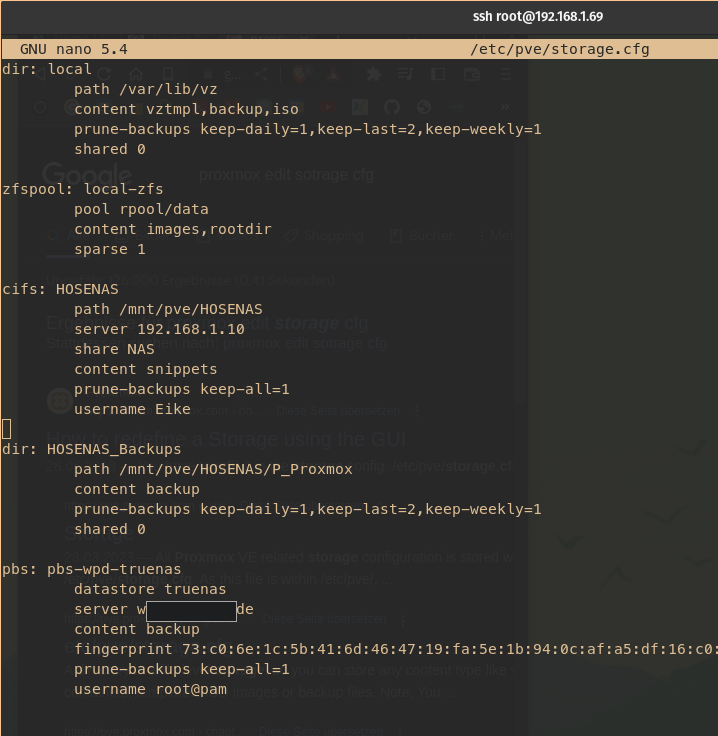
dir: local
        path /var/lib/vz
        content vztmpl,backup,iso
        prune-backups keep-daily=1,keep-last=2,keep-weekly=1
        shared 0

zfspool: local-zfs
        pool rpool/data
        content images,rootdir
        sparse 1

cifs: HOSENAS
        path /mnt/pve/HOSENAS
        server 192.168.1.10
        share NAS
        content snippets
        prune-backups keep-all=1
        username Eike

dir: HOSENAS_Backups
        path /mnt/pve/HOSENAS/P_Proxmox
        content backup
        prune-backups keep-daily=1,keep-last=2,keep-weekly=1
        shared 0

pbs: pbs-wpd-truenas
        datastore truenas
        server <cloud.yourdomain.de>
        content backup
        fingerprint 73:c0:6e:1c:5b:41:6d:46:47:19:fa:5e:1b:94:0c:af:a5:df:16:c0:e8:73:c8:57:c0:cf:ec:4f:b9:1e:f6:49
        prune-backups keep-all=1
        username root@pam
Passwörter in seperater Datei unter /etc/pve/priv/storage/STORAGE-ID.pw
siehe https://pve.proxmox.com/wiki/Storage:_CIFS

Proxmox VE Helper Scripts
https://tteck.github.io/Proxmox/
zb um Home Assistant mit einem Kommando als VM zu installieren:
bash -c "$(wget -qLO - https://github.com/tteck/Proxmox/raw/main/vm/haos-vm.sh)"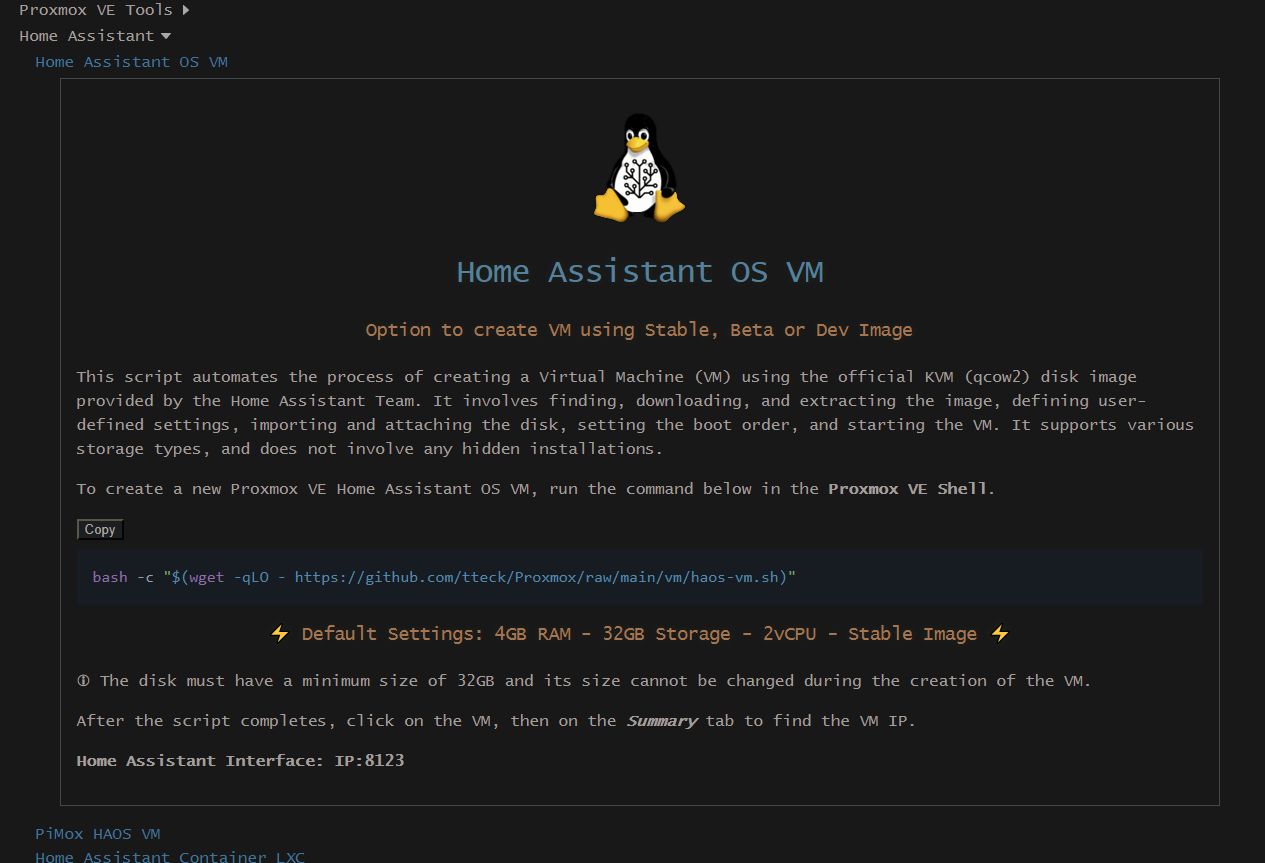
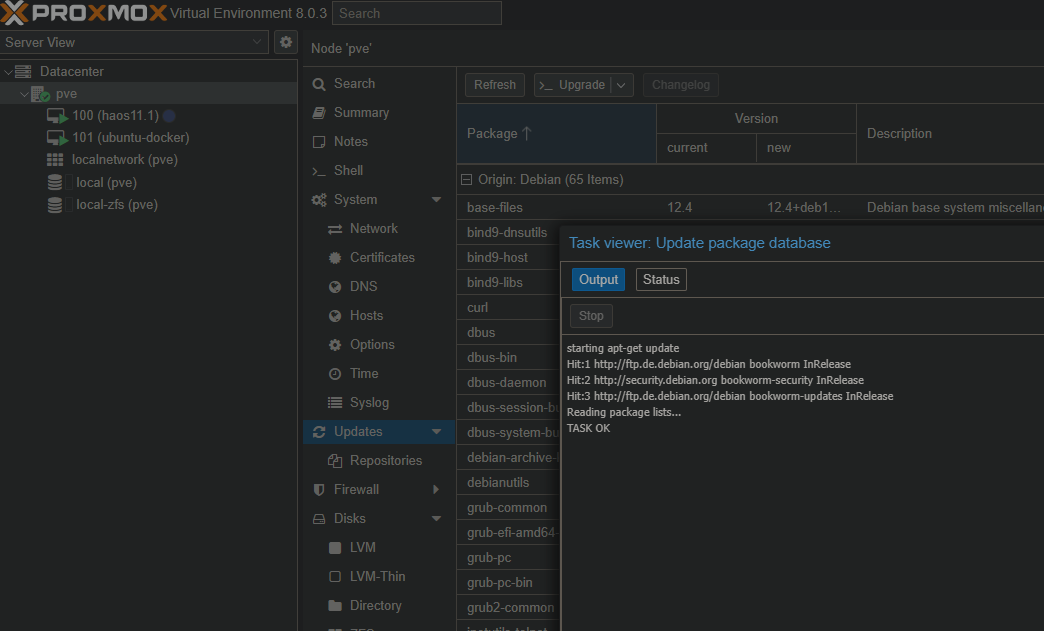
ERROR: Update package database
TASK ERROR: command 'apt-get update' failed: exit code 100
Auf dem Proxmox Host folgende Dateien bearbeiten:
nano /etc/apt/sources.list.d/pve-enterprise.list
nano /etc/apt/sources.list.d/ceph.list
Außerdem auch in alle anderen Dateien im /etc/apt/ Ordner schauen, ob noch irgendwo weitere pve-enterprise Einträge sind!
Zeile mit Enterprise.proxmox auskommentieren:

speichern. Danach sollte unter Proxmox > pve host > Updates > Refresh wieder funktionieren:
Warum hat meine VM gestoppt?
im Proxmox Host folgenden Befehl:
journalctl -b 0 -p err
oder wenn hier etwas ausgegeben wird, ist es ein out of memory (oom) gewesen:
cat /var/log/syslog | grep oom
https://forum.proxmox.com/threads/vm-just-stops-dont-know-the-reason.117340/
Login failed. Please try again / nightly Backup fail
https://www.servethehome.com/fix-proxmox-ve-login-failed-please-try-again-on-failing-cluster/
https://forum.proxmox.com/threads/access-to-web-interface-not-working.136331/
https://forum.proxmox.com/threads/input-output-error.116912/
https://forum.proxmox.com/threads/cant-login-via-web-gui-ssh-works.93560/ (LÖSUNG AUS DIESEM LINK)
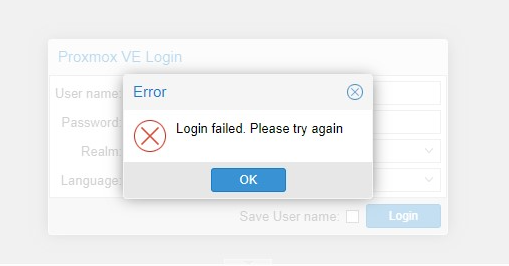
das hat bei mir geholfen, nachdem sich beim täglichen Backup eine VM aufgehängt hat und ich mich danach nicht mehr auf der Web-UI einloggen konnte:
(auf dem Proxmox Host)
systemctl stop pve-cluster
rm -f /var/lib/pve-cluster/.pmxcfs.lockfile
systemctl start pve-cluster
evtl auch volle Festplatte. Prüfen mit df -h
Fehlerlog beim Backup:
ERROR: Backup of VM 109 failed - unable to open file '/etc/pve/nodes/proxmox/lxc/109.conf.tmp.3820825' - Input/output error
ausführlich:
INFO:  88% (56.8 GiB of 64.0 GiB) in 5m 42s, read: 2.1 GiB/s, write: 0 B/s
INFO: 100% (64.0 GiB of 64.0 GiB) in 5m 45s, read: 2.4 GiB/s, write: 2.7 KiB/s
INFO: backup is sparse: 17.55 GiB (27%) total zero data
INFO: transferred 64.00 GiB in 345 seconds (190.0 MiB/s)
INFO: archive file size: 18.27GB
INFO: prune older backups with retention: keep-daily=1, keep-last=1, keep-monthly=1, keep-weekly=1
INFO: removing backup 'local:backup/vzdump-qemu-101-2024_02_28-04_35_19.vma.zst'
INFO: pruned 1 backup(s) not covered by keep-retention policy
INFO: Finished Backup of VM 101 (00:05:45)
INFO: Backup finished at 2024-03-01 04:40:49
INFO: filesystem type on dumpdir is 'zfs' -using /var/tmp/vzdumptmp3820825_102 for temporary files
INFO: Starting Backup of VM 102 (lxc)
INFO: Backup started at 2024-03-01 04:40:49
INFO: status = running
INFO: CT Name: InvoiceNinja
INFO: including mount point rootfs ('/') in backup
INFO: backup mode: snapshot
INFO: ionice priority: 7
INFO: create storage snapshot 'vzdump'
INFO: creating vzdump archive '/var/lib/vz/dump/vzdump-lxc-102-2024_03_01-04_40_49.tar.zst'
INFO: Total bytes written: 16449136640 (16GiB, 123MiB/s)
INFO: archive file size: 8.48GB
INFO: prune older backups with retention: keep-daily=1, keep-last=1, keep-monthly=1, keep-weekly=1
INFO: removing backup 'local:backup/vzdump-lxc-102-2024_02_28-04_41_03.tar.zst'
INFO: pruned 1 backup(s) not covered by keep-retention policy
INFO: cleanup temporary 'vzdump' snapshot
INFO: Finished Backup of VM 102 (00:02:13)
INFO: Backup finished at 2024-03-01 04:43:02
INFO: Starting Backup of VM 103 (qemu)
INFO: Backup started at 2024-03-01 04:43:02
INFO: status = running
INFO: VM Name: haos
INFO: include disk 'scsi0' 'local-zfs:vm-103-disk-1' 32G
INFO: include disk 'efidisk0' 'local-zfs:vm-103-disk-0' 1M
INFO: backup mode: snapshot
INFO: ionice priority: 7
INFO: creating vzdump archive '/var/lib/vz/dump/vzdump-qemu-103-2024_03_01-04_43_02.vma.zst'
INFO: issuing guest-agent 'fs-freeze' command
INFO: issuing guest-agent 'fs-thaw' command
INFO: started backup task 'ea3a80eb-5815-410f-9876-1f91b6668749'
INFO: resuming VM again
INFO:   2% (851.9 MiB of 32.0 GiB) in 3s, read: 284.0 MiB/s, write: 209.0 MiB/s
............
INFO:  89% (28.6 GiB of 32.0 GiB) in 3m 49s, read: 25.4 MiB/s, write: 25.4 MiB/s
ERROR: vma_queue_write: write error - Broken pipe
INFO: aborting backup job
INFO: resuming VM again
unable to delete old temp file: Input/output error
ERROR: Backup of VM 103 failed - vma_queue_write: write error - Broken pipe
INFO: Failed at 2024-03-01 04:47:02
INFO: filesystem type on dumpdir is 'zfs' -using /var/tmp/vzdumptmp3820825_104 for temporary files
INFO: Starting Backup of VM 104 (lxc)
INFO: Backup started at 2024-03-01 04:47:02
INFO: status = running
ERROR: Backup of VM 104 failed - unable to open file '/etc/pve/nodes/proxmox/lxc/104.conf.tmp.3820825' - Input/output error
INFO: Failed at 2024-03-01 04:47:02
INFO: Starting Backup of VM 106 (qemu)
INFO: Backup started at 2024-03-01 04:47:02
INFO: status = running
ERROR: Backup of VM 106 failed - unable to open file '/etc/pve/nodes/proxmox/qemu-server/106.conf.tmp.3820825' - Input/output error
INFO: Failed at 2024-03-01 04:47:02
INFO: Starting Backup of VM 107 (qemu)
INFO: Backup started at 2024-03-01 04:47:02
INFO: status = stopped
ERROR: Backup of VM 107 failed - unable to open file '/etc/pve/nodes/proxmox/qemu-server/107.conf.tmp.3820825' - Input/output error
INFO: Failed at 2024-03-01 04:47:02
INFO: filesystem type on dumpdir is 'zfs' -using /var/tmp/vzdumptmp3820825_108 for temporary files
INFO: Starting Backup of VM 108 (lxc)
INFO: Backup started at 2024-03-01 04:47:02
INFO: status = stopped
ERROR: Backup of VM 108 failed - unable to open file '/etc/pve/nodes/proxmox/lxc/108.conf.tmp.3820825' - Input/output error
INFO: Failed at 2024-03-01 04:47:02
INFO: filesystem type on dumpdir is 'zfs' -using /var/tmp/vzdumptmp3820825_109 for temporary files
INFO: Starting Backup of VM 109 (lxc)
INFO: Backup started at 2024-03-01 04:47:02
INFO: status = stopped
ERROR: Backup of VM 109 failed - unable to open file '/etc/pve/nodes/proxmox/lxc/109.conf.tmp.3820825' - Input/output error
INFO: Failed at 2024-03-01 04:47:02
INFO: Backup job finished with errors
TASK ERROR: job errors
W10 VM download & deploy
Windows 10 ansible winrm proxmox
https://gist.github.com/fguisso/08428cb4793be7442e3c209b00caf59d
#!/bin/bash

# Specify the Windows 10 ISO to download
WIN10_ISO_URL="https://software-download.microsoft.com/download/pr/19043.1165.210529-1541.co_release_CLIENT_CONSUMER_x64FRE_en-us.iso"

# Download the Windows 10 ISO
wget -O /var/lib/vz/template/iso/Windows10.iso $WIN10_ISO_URL

# Create a new VM in Proxmox
qm create 9000 --name Windows10 --memory 4096 --cpu host --net0 virtio,bridge=vmbr0

# Add a SATA hard drive to the VM
qm set 9000 --scsihw virtio-scsi-pci --scsi0 /var/lib/vz/images/9000/vm-9000-disk-0.qcow2,ssd=1,size=100G

# Attach the Windows 10 ISO to the VM's CD/DVD drive
qm set 9000 --ide2 /var/lib/vz/template/iso/Windows10.iso,media=cdrom

# Set the VM to use the "kvm64" CPU type
qm set 9000 --cpu kvm64

# Enable the QXL display driver for improved performance
qm set 9000 --vga qxl

# Add a Spice console to the VM for remote desktop access
qm set 9000 --spicehw virtio-vga --spiceport 5900 --password mypassword

# Set the SMBIOS UUID to a unique value for each VM
qm set 9000 --smbios1 uuid=$(uuidgen)

# Start the VM
qm start 9000
oder https://gist.github.com/fguisso/08428cb4793be7442e3c209b00caf59d
#!/bin/bash

# Specify the Windows 10 ISO to download
WIN10_ISO_URL="https://software-download.microsoft.com/download/pr/19043.1165.210529-1541.co_release_CLIENT_CONSUMER_x64FRE_en-us.iso"

# Download the Windows 10 ISO
wget -O /var/lib/vz/template/iso/Windows10.iso $WIN10_ISO_URL

# Create a new VM in Proxmox
can't lock file
trying to acquire lock...
TASK ERROR: can't lock file '/var/lock/qemu-server/lock-101.conf' - got timeout
qm unlock 103
input/output error
unable to open file '/etc/pve/nodes/nuc-02/qemu-server/101.conf.tmp.479915' - Input/output error
Speicher voll, Backups löschen und PVE neustarten zb