# Nextcloud Befehle CLI und DB
### Interaktiv in der Console
```bash
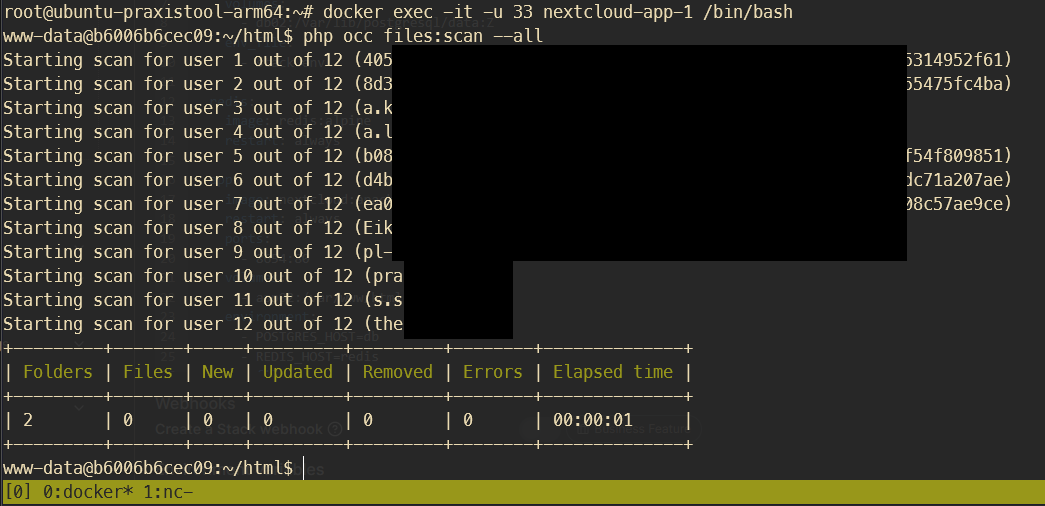
docker exec -it -u 33 nextcloud-app-1 /bin/bash
# im container dann zb sowas ausführen:
php occ files:scan --all
# nur Dateien eines bestimmten Users scannen:
php occ files:scan pl-admin
```
[](https://wiki.folkerts.it/uploads/images/gallery/2024-08/Rrqimage.png)
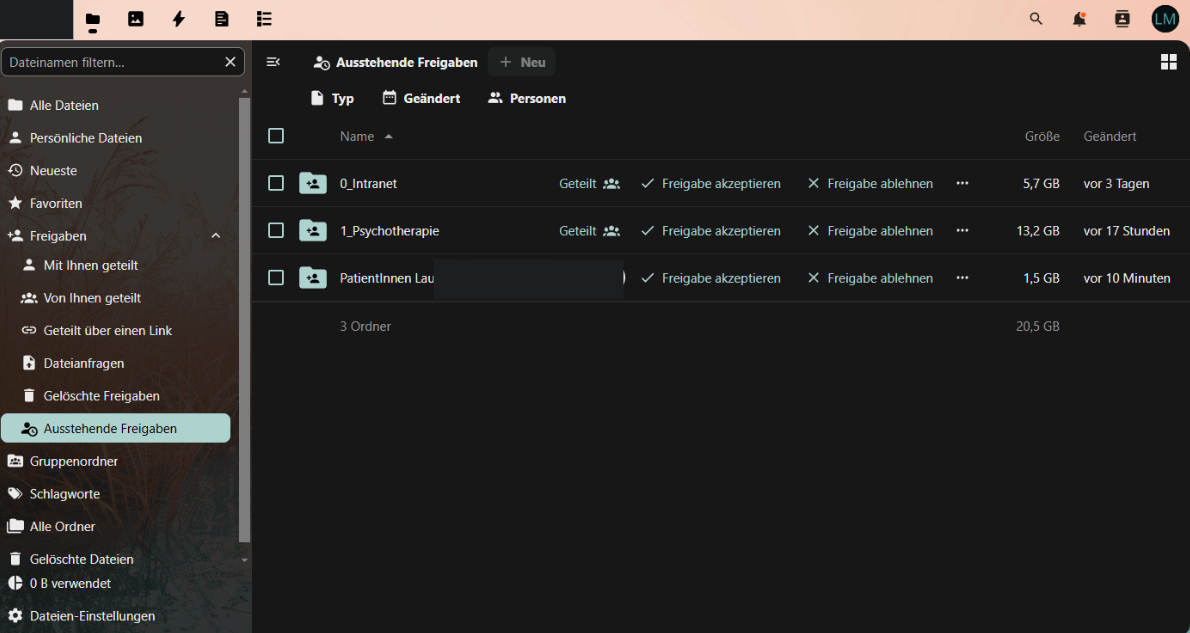
## Autoakzeptieren von Gruppenfreigaben bei neu angelegten Usern
[](https://wiki.folkerts.it/uploads/images/gallery/2025-01/jBFimage.png)
#### Problem
[https://github.com/nextcloud/server/issues/19520](https://github.com/nextcloud/server/issues/19520)
[https://github.com/nextcloud/server/issues/18958](https://github.com/nextcloud/server/issues/18958)
Neu angelegte User müssen zuerst Freigaben im Ordner 'Ausstehende Freigaben' akzeptieren, die mit ihrer Gruppe geteilt sind, bevor die freigegebenen Ordner unter ‘Alle Dateien‘ angezeigt werden.
Erhoffte Lösung: zwei Environment Flags
[https://docs.nextcloud.com/server/latest/admin\_manual/configuration\_server/config\_sample\_php\_parameters.html#sharing-enable-share-accept](https://docs.nextcloud.com/server/latest/admin_manual/configuration_server/config_sample_php_parameters.html#sharing-enable-share-accept)
- sharing.enable\_share\_accept false
- sharing.force\_share\_accept false
Leider keine änderung
#### DB Workaround
[https://github.com/nextcloud/server/issues/19520#issuecomment-2210405574](https://github.com/nextcloud/server/issues/19520#issuecomment-2210405574)
Man kann die PostgreSQL Tabelle 'oc\_share' so abändern, dass der DEFAULT Wert in der Spalte 'accepted' immer 1 ist und nicht 0:
```bash
# interaktiv mit DB-Container verbinden
docker exec -it nextcloud-db-1 /bin/bash
# mit PostgreSQL DB verbinden
psql -U nextcloud nextcloud
# oder bei nextcloud-aio manual-install (dbname, dbuser und dbpassword in config/config.php nachsehen)
psql -U oc_nextcloud -d nextcloud_database
# Für Nextcloud OIDC_user_backend App
# alle bisherigen accepted=0 in =1 ändern:
UPDATE oc_share SET accepted = 1 WHERE accepted = 0;
# Für dauerhaft autoaccept (geht nicht bei Nextcloud OIDC_user_backend App)
# Default von Spalte accepted ändern (bisherige accepted=0 bleiben unverändert)
ALTER TABLE oc_share ALTER COLUMN accepted SET DEFAULT 1;
# weitere Befehle zum Browsen:
# alle Tabellen anzeigen
\dt
# Tabelleninfos anzeigen
\d oc_share
# oc_share anzeigen
SELECT * FROM oc_share;
```
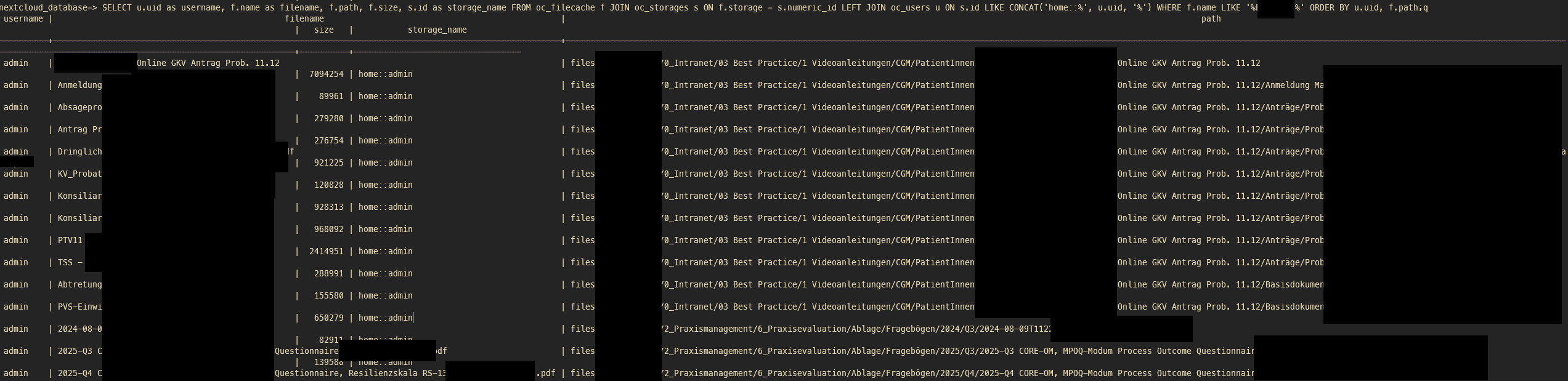
## Dateien in der Datenbank suchen
[](https://wiki.folkerts.it/uploads/images/gallery/2026-02/image.png)
mit postgresql verbinden wie in Punkt DB Workaround
### Dateien allg.
nur Pfad und Timestamp:
```
psql -U oc_nextcloud -d nextcloud_database
```
```mysql
SELECT
f.path,
to_timestamp(f.mtime) AS modified,
CASE
WHEN f.path LIKE '%files_trashbin%' THEN 'Papierkorb'
ELSE 'Aktiv'
END AS status
FROM oc_filecache f
JOIN oc_storages s
ON f.storage = s.numeric_id
LEFT JOIN oc_users u
ON s.id LIKE CONCAT('home::%', u.uid, '%')
WHERE
f.path LIKE '%SUCHBEGRIFF1%'
AND f.path LIKE '%SUCHBEGRIFF2%'
AND f.path NOT LIKE '%AUSSCHLUSS1%'
AND f.path NOT LIKE '%AUSSCHLUSS2%'
ORDER BY
modified DESC,
status,
f.path;
```
Einzeiler:
```sql
SELECT f.path, to_timestamp(f.mtime) AS modified, CASE WHEN f.path LIKE '%files_trashbin%' THEN 'Papierkorb' ELSE 'Aktiv' END AS status FROM oc_filecache f JOIN oc_storages s ON f.storage = s.numeric_id LEFT JOIN oc_users u ON s.id LIKE CONCAT('home::%', u.uid, '%') WHERE f.path LIKE '%SUCHBEGRIFF1%' AND f.path LIKE '%SUCHBEGRIFF2%' AND f.path NOT LIKE '%AUSSCHLUSS1%' AND f.path NOT LIKE '%AUSSCHLUSS2%' ORDER BY modified DESC, status, f.path;
```
### Dateien incl. user und id
```bash
psql -U oc_nextcloud -d nextcloud_database
```
```sql
SELECT
u.uid as username,
f.name as filename,
f.path,
f.size,
s.id as storage_name,
to_timestamp(f.mtime) as modified,
CASE
WHEN f.path LIKE '%files_trashbin%' THEN 'Papierkorb'
ELSE 'Aktiv'
END as status
FROM oc_filecache f
JOIN oc_storages s ON f.storage = s.numeric_id
LEFT JOIN oc_users u ON s.id LIKE CONCAT('home::%', u.uid, '%')
WHERE f.name LIKE '%SUCHBEGRIFF%'
ORDER BY username, status, f.path;
```
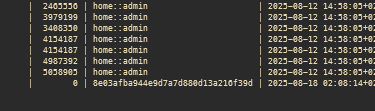
danach kommt evtl. eine storage\_id als mountpoint heraus, zb 8e03afba944e9d7a7d880d13a216f39d:
[](https://wiki.folkerts.it/uploads/images/gallery/2026-02/cgQimage.png)
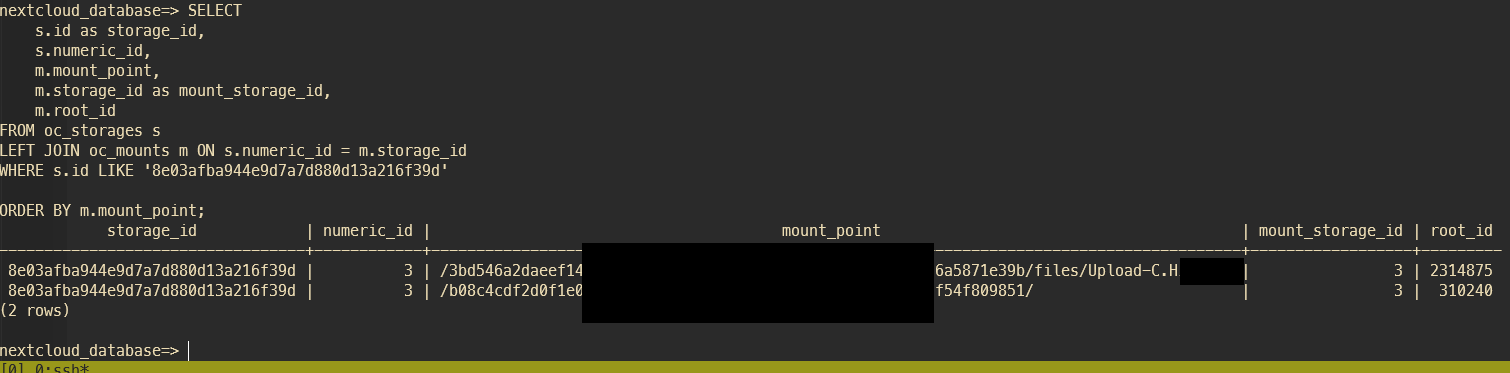
wenn das der Fall ist, kann man mit folgendem Query den Mountpoint herausfinden
```sql
SELECT
s.id as storage_id,
s.numeric_id,
m.mount_point,
m.storage_id as mount_storage_id,
m.root_id
FROM oc_storages s
LEFT JOIN oc_mounts m ON s.numeric_id = m.storage_id
WHERE s.id LIKE '656a%'
ORDER BY m.mount_point;
```
[](https://wiki.folkerts.it/uploads/images/gallery/2026-02/k0timage.png)
Dann nur noch den User anhand der ID b08c4.... herausfinden, siehe Namen zu User-IDs herausfinden weiter unten:
```sql
SELECT * FROM oc_user_oidc WHERE user_id LIKE '%0654f.........%';
```
[](https://wiki.folkerts.it/uploads/images/gallery/2026-02/xnyimage.png)
### Gelöschte Dateien in allen Papierkörben
```sql
SELECT
u.uid as username,
f.name as filename,
f.path,
f.size,
s.id as storage_name
FROM oc_filecache f
JOIN oc_storages s ON f.storage = s.numeric_id
LEFT JOIN oc_users u ON s.id LIKE CONCAT('home::%', u.uid, '%')
WHERE f.name LIKE '%%'
AND f.path LIKE '%files_trashbin%'
ORDER BY u.uid, f.path;
```
## Alte Shares löschen
```bash
php occ sharing:delete-orphan-shares
# oder
php occ sharing:delete-orphan-shares -f
```
Quelle: [https://help.nextcloud.com/t/delete-a-zombie-share/110900/5](https://help.nextcloud.com/t/delete-a-zombie-share/110900/5)
## Activities einer Datei/Pfad
ausführlich
```sql
SELECT
a.activity_id,
TO_TIMESTAMP(a.timestamp) AS zeitpunkt,
(ac.data::jsonb)->'displayname'->>'value' AS name,
a.subject,
a.file,
a.subjectparams
FROM oc_activity a
LEFT JOIN oc_accounts ac ON ac.uid = a."user"
WHERE
a.object_type = 'files'
AND (
a.file LIKE '%SUCHBEGRIFF%'
OR a.subjectparams LIKE '%SUCHBEGRIFF%'
)
AND a.subject IN (
'created_self', 'created_by',
'deleted_self', 'deleted_by',
'renamed_self', 'renamed_by',
'moved_self', 'moved_by',
'changed_self', 'changed_by'
)
ORDER BY a.timestamp DESC
LIMIT 50;
```
nur timestamp, file und username, ohne limit
```sql
SELECT
TO_TIMESTAMP(a.timestamp) AS zeitpunkt,
(ac.data::jsonb)->'displayname'->>'value' AS name,
a.file
FROM oc_activity a
LEFT JOIN oc_accounts ac ON ac.uid = a."user"
WHERE
a.object_type = 'files'
AND (
a.file LIKE '%SUCHBEGRUFF%'
OR a.subjectparams LIKE '%SUCHBEGRUFF%'
)
AND a.subject IN (
'created_self', 'created_by',
'deleted_self', 'deleted_by',
'renamed_self', 'renamed_by',
'moved_self', 'moved_by',
'changed_self', 'changed_by'
)
ORDER BY a.timestamp DESC;
```
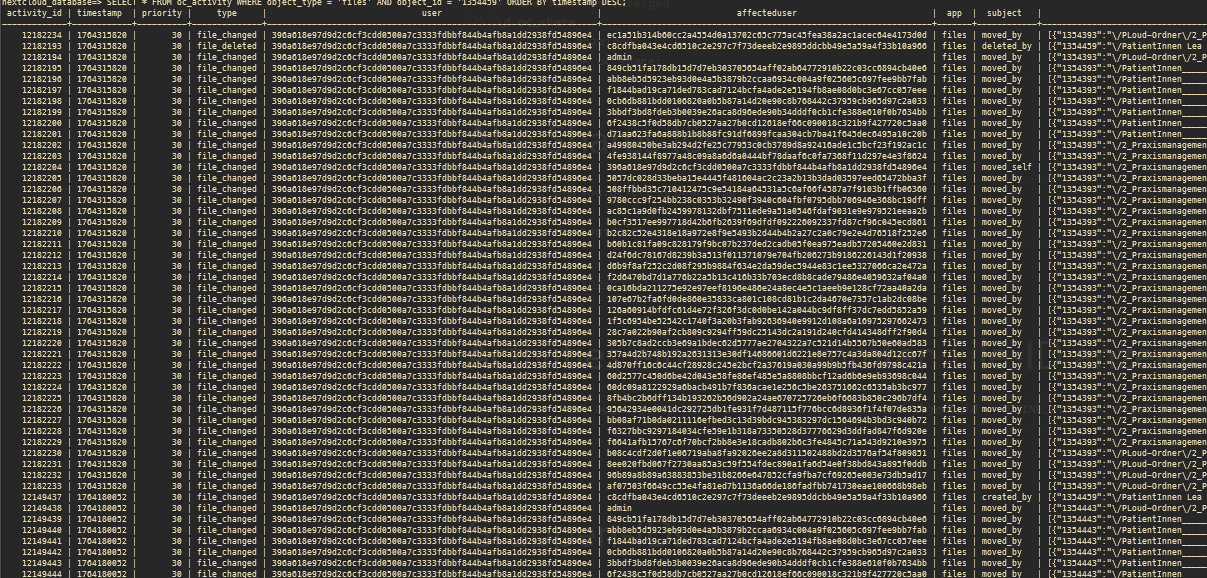
## Activities einer bestimmten File-ID anzeigen
```bash
# in postgresql docker-container:
psql usw siehe oben
SELECT * FROM oc_activity WHERE object_type = 'files' AND object_id = 'DEINE_FILE_ID' ORDER BY timestamp DESC;
```
[](https://wiki.folkerts.it/uploads/images/gallery/2025-11/image.png)
## Namen zu User-IDs anzeigen
```sql
# reguläre Nextcloud-User anzeigen
SELECT * FROM oc_users;
# OIDC-User anzeigen nach ID sortiert
SELECT * FROM oc_user_oidc;
# OIDC-User anzeigen nach Name sortiert
SELECT * FROM oc_user_oidc ORDER BY display_name;
# Nach speziellem Namen anhand der ID suchen
SELECT * FROM oc_user_oidc WHERE user_id LIKE '%0654f.........%';
```
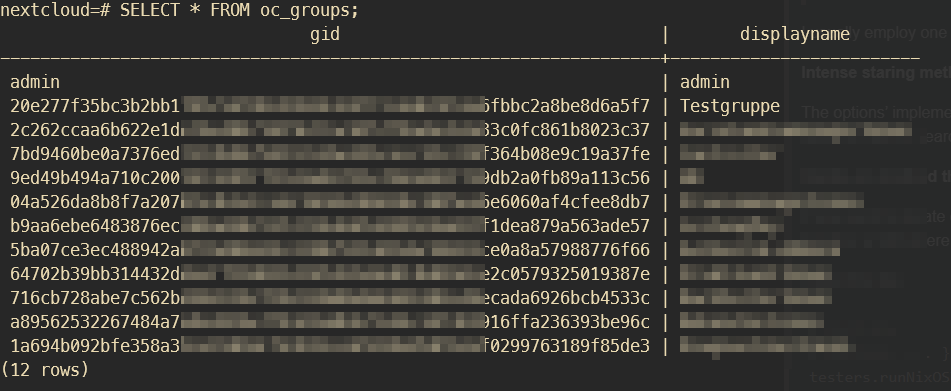
## Gruppen-IDs anzeigen
```bash
# in postgresql container bashen
docker exec -it nextcloud-db-1 /bin/bash
# in postgresql-db mit nextcloud einloggen
psql -U nextcloud nextcloud
# bzw. für nextcloud-aio manual-install container:
psql -U oc_nextcloud -d nextcloud_database
# oc_groups anzeigen
SELECT * FROM oc_groups;
```
[](https://wiki.folkerts.it/uploads/images/gallery/2025-03/Xw6image.png)
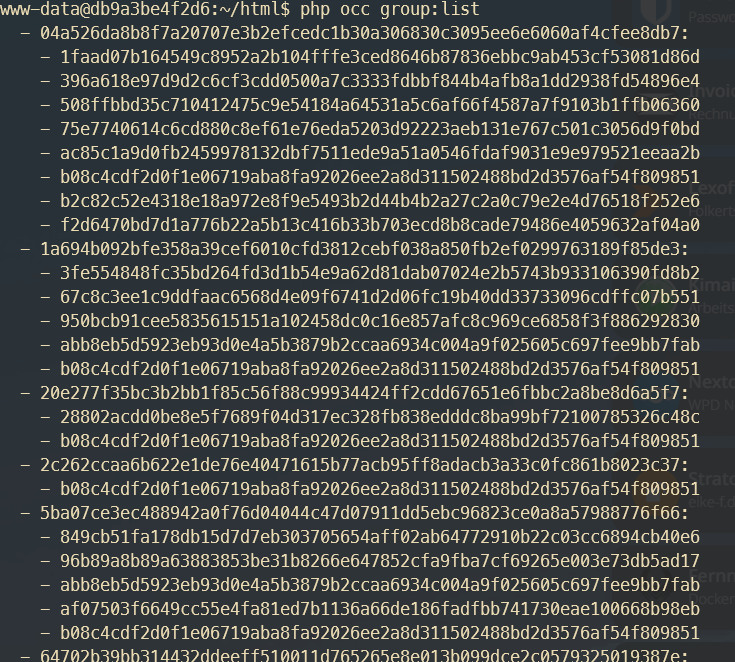
Oder über occ und dann die ID der Benutzer abgleichen und Gruppenbezeichnungen raten:
```bash
docker exec -it -u 33 nextcloud-app-1 /bin/bash
php occ group:list
```
[](https://wiki.folkerts.it/uploads/images/gallery/2025-03/WNmimage.png)
## groupfolders:scan
- `occ groupfolders:create ` → create a group folder
- `occ groupfolders:delete [-f|--force]` → delete a group folder and all its contents
- `occ groupfolders:expire` → trigger file version expiration (see [Nextcloud docs](https://docs.nextcloud.com/server/latest/admin_manual/configuration_files/file_versioning.html) for details)
- `occ groupfolders:group [-d|--delete] [write|share|delete]` → assign groups and their rights to a group folder
- `occ groupfolders:list` → list configured group folders
- `occ groupfolders:permissions` → configure advanced permissions (see below for details)
- `occ groupfolders:quota [|unlimited]` → set a quota for a group folder
- `occ groupfolders:rename ` → rename a group folder
- `occ groupfolders:scan ` → trigger a filescan for a group folder
Quelle: [https://help.nextcloud.com/t/solved-occ-file-scan-not-working-for-groupfolder/94017](https://help.nextcloud.com/t/solved-occ-file-scan-not-working-for-groupfolder/94017)
### Troubleshooting
##### Fehlermeldung beim Befehl files:scan --all
... "file.pdf" will not be accessible due to incompatible encoding ...
[](https://wiki.folkerts.it/uploads/images/gallery/2025-01/bZpimage.png)
Lösung: [https://github.com/nextcloud/server/issues/3136#issuecomment-579470343](https://github.com/nextcloud/server/issues/3136#issuecomment-579470343)
```bash
apt update
apt install convmv
# Entweder direkt ohne Test oder --notest weglassen um Vorgang zu testen
convmv -f utf-8 -t utf-8 -r --notest --nfc
```
### via Portainer
[https://www.reddit.com/r/NextCloud/comments/croxkm/how\_to\_use\_occ\_scan\_on\_a\_docker\_install/](https://www.reddit.com/r/NextCloud/comments/croxkm/how_to_use_occ_scan_on_a_docker_install/)
[https://docs.nextcloud.com/server/stable/admin\_manual/configuration\_server/occ\_command.html#using-the-occ-command](https://docs.nextcloud.com/server/stable/admin_manual/configuration_server/occ_command.html#using-the-occ-command)
zuerst in den Docker container gehen (zb Portainer oder über Konsole) und folgendes Kommando testen:
```
php occ maintenance:mode --on
```
[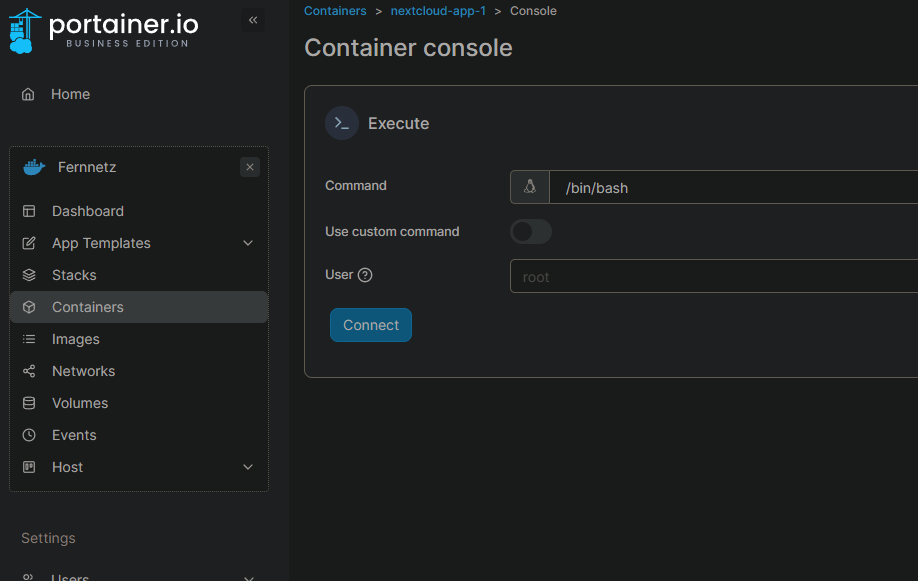 ](https://wiki.folkerts.it/uploads/images/gallery/2024-07/Lmkimage.png)
[](https://wiki.folkerts.it/uploads/images/gallery/2024-07/iskimage.png)
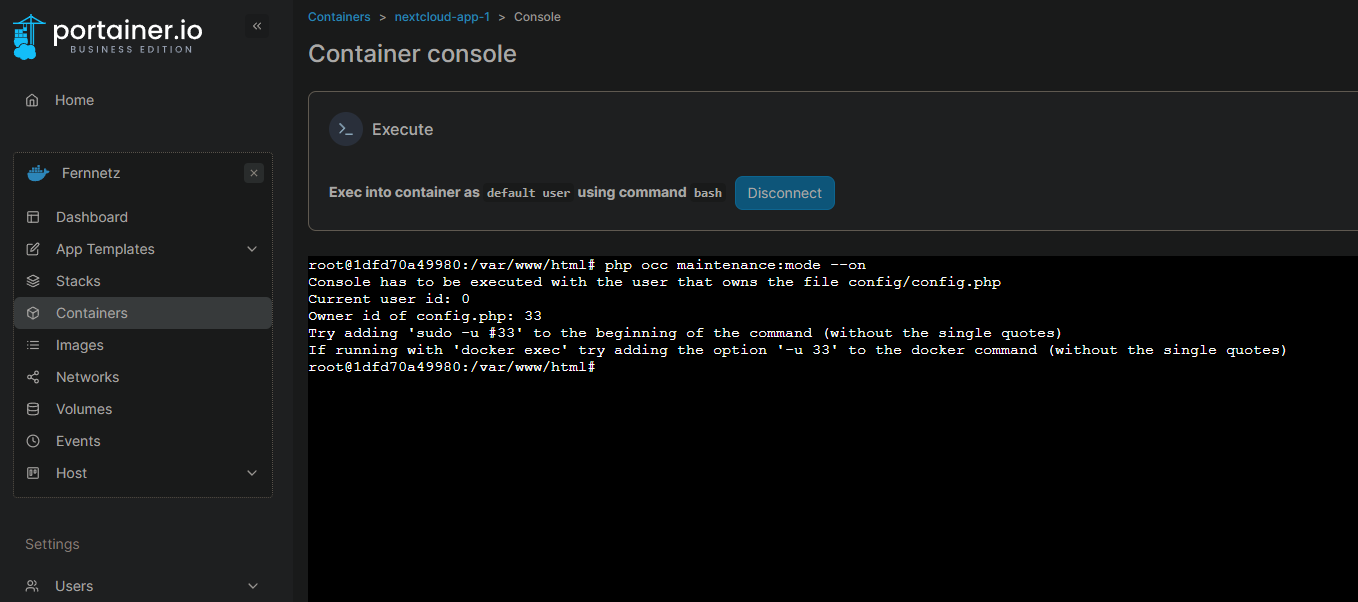
evtl kommt folgende Fehlermeldung:
```
root@1dfd70a49980:/var/www/html# php occ maintenance:mode --on
Console has to be executed with the user that owns the file config/config.php
Current user id: 0
Owner id of config.php: 33
Try adding 'sudo -u #33' to the beginning of the command (without the single quotes)
If running with 'docker exec' try adding the option '-u 33' to the docker command (without the single quotes)
```
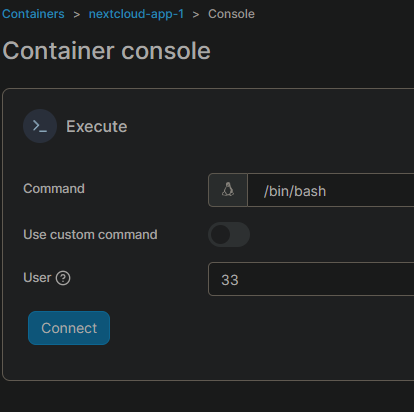
danach die Konsole des Containers nochmal starten, diesmal mit dem vorgeschlagenen Nutzer (user id 33 in meinem Fall, wie in der Ausgabe vorgeschlagen):
[](https://wiki.folkerts.it/uploads/images/gallery/2024-07/F0Timage.png)
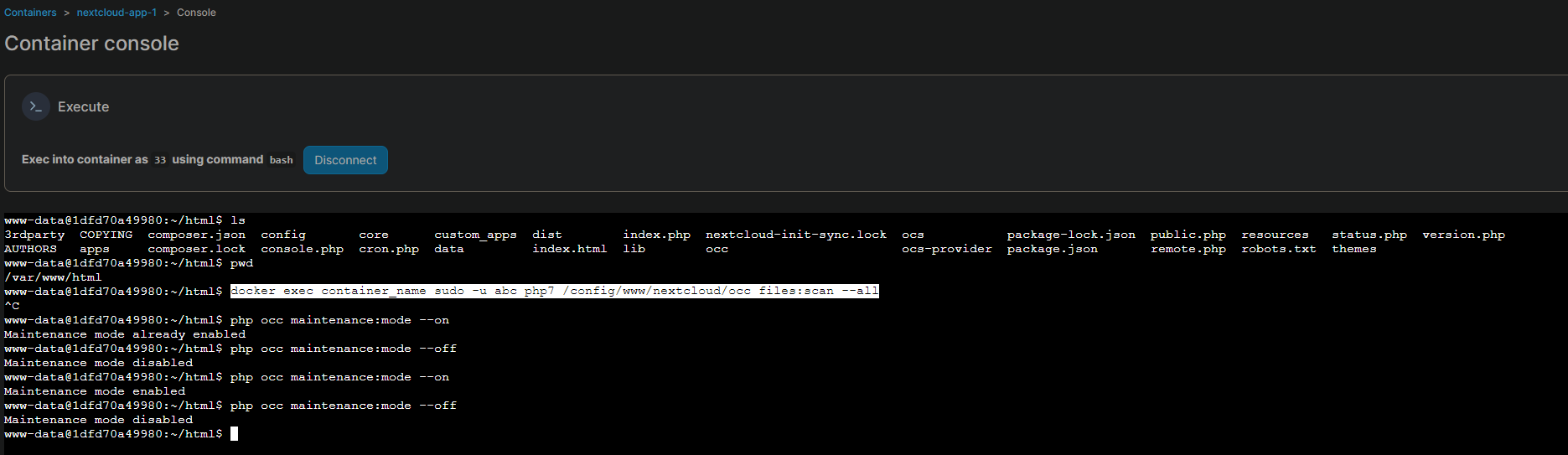
und dann
`./occ maintenance:mode --on`
oder wenn man kein portainer nutzt:
```
docker exec container_name sudo -u 33 php7 /var/www/html/occ files:scan --all
```
[](https://wiki.folkerts.it/uploads/images/gallery/2024-07/6TKimage.png)
WICHTIG
auf den Ordner achten. Auszug aus dem reddit post (siehe oben)
With something like this, the path to occ is important. It's either under `/config/www/nextcloud` or `/var/www/html`.
Also, if you see occ but you can't run commands like so - `occ files:scan ` then `./occ files:scan ` can sometimes fix it.