Obacht: ctop ist veraltet, verwende daher [lazydocker](https://github.com/jesseduffield/lazydocker) oder [gomanagedocker](https://github.com/ajayd-san/gomanagedocker) stattdessen.
Obacht: die offizielle Installationsmethode klappt nicht (siehe unten). Verwende stattdessen folgende Befehle:
## ctop ```bash #arm: sudo wget https://github.com/bcicen/ctop/releases/download/v0.7.7/ctop-0.7.7-linux-arm64 -O /usr/local/bin/ctop #amd64: sudo wget https://github.com/bcicen/ctop/releases/download/v0.7.7/ctop-0.7.7-linux-amd64 -O /usr/local/bin/ctop #kann auch sein, dass es in /usr/bin/ctop (ohne local) muss also #arm: sudo wget https://github.com/bcicen/ctop/releases/download/v0.7.7/ctop-0.7.7-linux-arm64 -O /usr/bin/ctop #amd64: sudo wget https://github.com/bcicen/ctop/releases/download/v0.7.7/ctop-0.7.7-linux-amd64 -O /usr/bin/ctop ``` ```bash sudo chmod +x /usr/local/bin/ctop #bzw. sudo chmod +x /usr/bin/ctop ``` ``` ctop ``` = [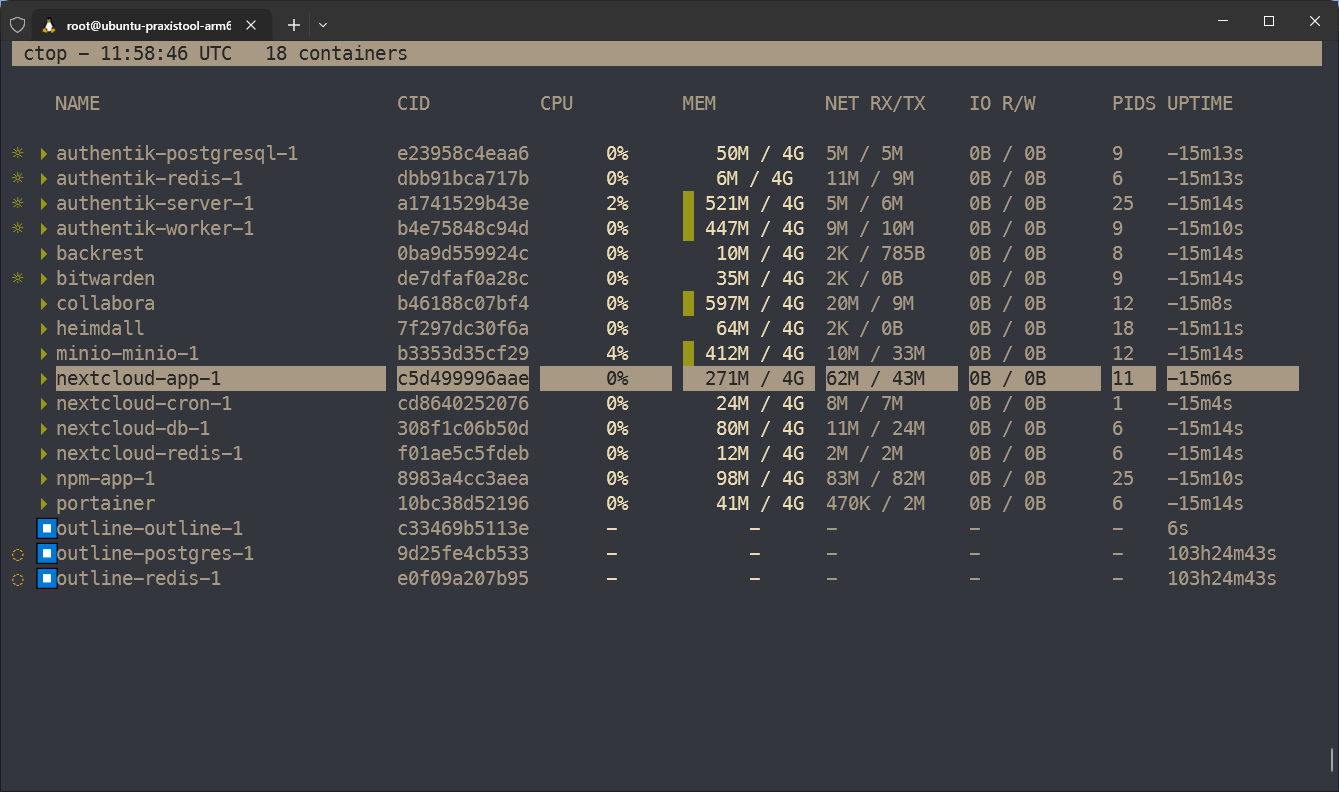](https://wiki.folkerts.it/uploads/images/gallery/2024-07/u8himage.png) ## Problem mit offizieller Installationsanleitung Befehl zum installieren von [https://github.com/bcicen/ctop](https://github.com/bcicen/ctop) ``` sudo apt-get install ca-certificates curl gnupg lsb-release curl -fsSL https://azlux.fr/repo.gpg.key | sudo gpg --dearmor -o /usr/share/keyrings/azlux-archive-keyring.gpg echo \ "deb [arch=$(dpkg --print-architecture) signed-by=/usr/share/keyrings/azlux-archive-keyring.gpg] http://packages.azlux.fr/debian \ $(lsb_release -cs) main" | sudo tee /etc/apt/sources.list.d/azlux.list >/dev/null sudo apt-get update sudo apt-get install docker-ctop ``` Fehlermeldung ```bash root@ubuntu-praxistool-arm64:~# sudo apt-get update Hit:1 https://mirror.hetzner.com/ubuntu/packages noble InRelease Hit:2 https://mirror.hetzner.com/ubuntu/packages noble-updates InRelease Hit:3 https://mirror.hetzner.com/ubuntu/packages noble-backports InRelease Hit:4 https://mirror.hetzner.com/ubuntu/security noble-security InRelease Hit:5 https://download.docker.com/linux/ubuntu noble InRelease Ign:6 http://packages.azlux.fr/debian noble InRelease Err:7 http://packages.azlux.fr/debian noble Release 404 Not Found [IP: 2a01:728:401:1c::100 80] Reading package lists... Done E: The repository 'http://packages.azlux.fr/debian noble Release' does not have a Release file. N: Updating from such a repository can't be done securely, and is therefore disabled by default. N: See apt-secure(8) manpage for repository creation and user configuration details. ```